Showing posts with label MacBook. Show all posts

October 21, 2009

MacBook receives facelift, Time Capsule, Airport Express, Mac Mini, remote receive improvements

The MacBook's design hasn't really been the most flattering. It was chic in '06, but perhaps it was time to move on, and that was the exact same thing Apple was thinking.

Say hello to a new look:

While the MacBook somewhat looks the same but slightly "chubbier", the new design is actually made through the same unibody architecture that the Pro models have. It's still priced at $999 as a result.

The trackpad is also made of the same glass as the Pro models, and it even features a built-in (ahem, non-removable) 7-hour battery which is quite impressive.

The more internal changes include a new charger port ala the MacBook Air, no FireWire 400, and a unified audio in and audio out port. I don't think there's an SD card slot anywhere though.

Aside from the MacBook and the iMac, the lower priced Mac Mini has also received some under-the-hood upgrade, as well as the introduction of a "Server" model which costs $999.

Basically, the "Server edition" features two 500GB drives and no DVD slot to drive the point home. Notably though, it's probably the only Mac left that has Mini-DVI.

Lastly, Apple has announced new and improved upgrades to the Time Capsule and Airport Extreme. The former is basically a 1 terabyte hard drive used for wireless Mac backup that also doubles as an Internet router, while the latter is only a wireless router.

A new antenna design has enabled the devices to send Wi-fi signals over even longer distances. Time Capsule, notably, is "60% faster with Time Machine on Snow Leopard". It's unclear whether Apple has fixed the Time Capsule's controversial 16 month lifespan due to overheating, but I'd be on the market for one of these if it weren't for that issue.

But next up, and this was quite quiet, is the Apple remote. It's sad that Apple doesn't bundle these things with their computers any more (then again, I don't use them often) because this new remote looks much more functional compared to the old one. Hell, it's more attractive too.

It's compatible with any Mac with an infrared sensor and iPod universal docks, and retails for $20. Seriously, $20? For a remote like this?


June 9, 2009

No more aluminum MacBook.

The first thing Phil Shiller told the audience was that not only were they gonna put SD card slots on nearly every MacBook they have (but no iMac?), but they were gonna rebrand the 13-inch MacBook and claim that it is a MacBook Pro.
This would've split the sides of Apple fans and force them to choose a stance on this. But the thing is, the 13-inch MacBook Pro is basically the 15-incher by way of it actually having a FireWire 800 port and an SD card slot. Nothing else new is really added to the 13-incher, but apparently, those additions including the default backlit keyboard, constitute a MacBook Pro, therefore, what was then the MacBook is now the 13-inch MacBook Pro.

It's only the 17-incher that's actually not gonna get an SD card slot, and it's pretty ironic. Still, audio professionals probably would still want the ExpressCard slot, so Apple was most probably torn. Additionally, all of the MacBook Pro's support 8GB of RAM now.

Moreover, the prices have been dropped like crazy. Basically, the price of entry for the new 13-inch MacBook Pro has become even cheaper than what would've been the price of a 13-inch MacBook yesterday. If you bought a MacBook yesterday, you're screwed. Feel the pain as they are all available today.

An even bigger pain in the ass is that all of the MacBook Pro's have the "enhanced battery", therefore they cannot be manually removed by the user. Isn't that banned in Europe now or something?
What of the MacBook, then? Well, it seems that the old white MacBook returns to the primary line-up, therefore it will also receive the more regular upgrades to processor, RAM, etc..

Entry price for a 13-inch MacBook Pro (wow, I gotta get used to that) is $1199, a hundred dollars cheaper than the then 13-inch Aluminum MacBook. 15-inch MacBook Pro is also 300 dollars cheaper at $1699 and the 17-inch is still the same $2299. The plastic MacBook is still $999.

October 15, 2008

Say hello to the redesigned MacBooks

Here's chronological coverage from the keynote:

No death jokes today, but there's a "State of the Mac" address by this guy Tim Cook. Basically, he's saying that the Mac has been selling better than ever and he's stating many of the obvious (and a few too proud claims) reasons of this. I won't enumerate them because the notebooks are supposed to be our focus today... and this keynote ain't exactly cooperating.

11 minutes later, the Keynote presentation switches slides to reveal "Notebooks". However, Steve wants to talk about new building technologies first- in layman's terms, their new way of manufacturing laptops and computers in general- and for the most part, I wasn't listening. To summarize this, they discovered this new method of being able to put a slab of aluminum and making the laptop through machine from this slab. This is the very method they used to make the ultra-thin MacBook Air, and now, the new MacBook and MacBook Pro.


8 minutes later, Steve finally gets into business.

Yep, they're replacing the crappy MacBook video card by Intel into a sensible nVidia (GEForce 9400M GT) graphics card which is 5 times faster. So now even MacBooks can play WoW, Doom 3, and just games in general.
Plus, the new trackpads are buttonless and made of GLASS. This entire pad is now the button (just push the entire thing anywhere your hand is) and it's powered by multi-touch (the same tech for iPhone). And yep, there are new gestures using 4 fingers. Expose can be used by 4 fingers sliding down or up, and well as app switching by swiping 4 fingers left or right.
The new MacBook Pro
WOW, full glass, black bezel, super-thin LED display, and... is it me or does it look a bit like the MacBook Air?
Well anyway, it's gonna have a graphics card that's 82% the power of the Mac Pro's (GEForce 9400M and GEForce 9400M GT both inside), aforementioned glass trackpads, it'll have connections on one side, and a nice sturdy body (which Steve Jobs let the audience feel and touch and pass around for quite a long time...).

Impressive battery life is abound with 5 hours in 9400M mode and 4 hours in 9400M GT mode. Why have switchable graphics modes? For the games, the video editing, and the graphics work of course! With this thing, you definitely don't need a desktop computer.

And what's this? A "Mini Display Port"? Jobs says that it's the new industry standard for displays so... OK.

And oh! Removable battery and hard drive (and it supports solid-state drives)! Thank God.

It's gonna start at $1999 for 15.4" 2.4GHz 256MB graphics and $2499 for 15.4" 2.53GhZ 320GB drive 512MB graphics. Now shipping so you may see one of these babies tomorrow.

Hey, no Blu-ray?

Upgraded MacBook Air
Now, the MacBook Air has faster graphics, 120GB hard drive or 128GB solid-state drive, a Mini-display port and still at $1799 and $2499. For the first time, it's at least a pretty decent investment now. If you wanna actually buy this model, it's going out November.

24" LED Cinema Display
A nice ultra-thin big-screen monitor that Jobs says is best with the MacBooks. But it's not only a simple monitor, it also has 3 USB ports, MagSafe charger for MacBooks, an iSight camera with microphone and an environment-friendly LED screen that also reduces its footprint. $899 is what you need to pay for this thing.

MacBook
"Best-selling Mac. Ever." said Jobs.

Want a price reduction? You got it. Metal enclosure? You got it. Faster graphics? You effing got it. LED backlit display? Yep.

Behold! Black bezeled LED glass display, aluminum enclosure, nicer graphics by nVidia (GEForce 9400M), glass multi-touch buttonless trackpad, and Mini Display port plus 5 hours of battery life.Cost is $1299 for 2.0GHz Intel Core 2 Duo, 2 GB RAM, $1599 for 2.4GHz Intel Core 2 Duo processor and backlit keyboard. If you want the older MacBook, you can get it for 1000 dollars. Shipping today.

Video
There's always a story inside every part.

October 10, 2008

CONFIRMED: New Apple laptops

Many, many, many, many, many, many, many, many rumor sites have been spanking on the date October 14 for months now. Why? Because it's the rumored Apple keynote for laptops, and now it's been confirmed by the Big Fruit.


Aluminum redesign only? You can do better than that, Apple!

February 27, 2008

MACBOOK PRO and MACBOOK: Never a better time than now

In the past, I've always raved about how amazing Apple's MacBook and MacBook Pro is. And although I've never actually cared for Apple's past power upgrades, this one is actually something to care about. Why? Because not only did they add a lot more oomph to the two models' speed, or add more hard disk space, they included something that customers will really love- a Multi-touch mousepad.

But wait, I'm getting a bit ahead of myself. That last one is only applicable for MacBook Pro, but that upgrade is hella sweet. First introduced in MacBook Air, the Multi-touch mousepad uses the same touch screen technology in the iPod touch and iPhone, and take note that the only products you'll ever find these technologies are in Apple products (and maybe the Microsoft Surface as well). As I've raved before in the MacBook Air hands-on post, I loved working with photos using that pad and I practically, instantly missed it when I came back home. And frankly, maybe Apple realized that the MacBook Air won't be very hot after all, and it was a smart move to actually put it in MacBook Pro. Now, the Pro really distances itself from its other brother, the MacBook, and especially blazes it with even faster processing power (2.4Ghz and 2.6Ghz options) and actually usable graphics (nVidia GeForce 8600M GT with 256 or 512 MB memory to be specific).

*UPDATE: Wait a sec, so tapping the trackpad to do a click is already one of them multi-touch gestures? Then the MacBook Pro with Multi-touch models must already be here in the Philippines, because that happened when I tried out the MacBook Pro last Sunday!

And though the newer MacBook isn't really as post-worthy as the new addition in MacBook Pro's arsenal, the choice of having even faster speeds (2.0Ghz and 2.4Ghz for the tech-savvy) is a plus, as well as having 2GB of expandable RAM standard. Plus, you also get to only choose between 120-160GB hard drives, and if you'd like to burn more cash, why not get the fancier black MacBook with 250GB hard drive and faster everything?

December 8, 2007

Another Tech-centric Post

Save your files!
As I flipped upon the pages of November's PC World magazine, there was this little tip about USB flash drives and recovery that I think would be ultimately convenient for all of us. (That means you, Cath!)

Virus-Infected
Well anyway, let's say that your USB drive has been downed by a virus, your whole life is on the line and you are without a backup copy for salvation (That is sooo not recommended, people.), what would you do? Well, firstly, as I have discovered, viruses tend to work only in the Operating Systems they are designed to attack. So let's say that the attack happened on your flashy new Windows Vista PC and you only have one anti-virus that curiously missed scanning your flash drive after getting the virus out of your own PC. Well, if you insert the virus-infected drive into another Windows PC, chances are that it'll get infected, too. But if you insert the drive in a Mac or Linux computer, you can get the drive's contents without frills and risk.

How exactly?
OK, maybe a Mac's expensive, but a Linux distro (short for distribution) is free, and there are lots like Ubuntu or Damn Small Linux. You have to install them in another computer (your old one will probably do) as is the case for Ubuntu, which requires 4GB of free storage, or ironically, in another USB drive (64MB will do) which is the case for Damn Small Linux.

But then again, you'll still probably need a brand new thumb drive anyway, since a virus-infected flash drive is something you should throw away! (though booting from a USB drive is harder than you think).

If you don't ever want to buy a USB drive again and you'll probably still want to take those files off, burn the image file (.iso) in a blank CD. Depending on your connection, the 50MB file will probably take 10-20 minutes to download on DSL, so you better get a download manager ready for those disconnection incidents.
Once downloaded, double-click the file to let your burner burn it to a CD. After that, restart your computer and you'll be led to an installation screen. Just click Live CD lest you want to obliterate Windows, and wait. Insert infected drive, and copy them off to a floppy disk or something!

Oh and before I forget, here's the download link for Damn Small Linux, I won't be providing Ubuntu's because it's gonna take veeeeery long to download.

That's too much of a hassle!
OK, there are alternatives. If you want to stay in your Windows computer, fine. But you gotta download those free anti-virus and firewall applications, then update them along with Windows itself. But wait! Don't put that drive just yet! There is something you gotta do before that...

For Windows XP users
You should download TweakUI, a Microsoft thingamajig, and open it after installation. Then, navigate to the program's left pane to My Computer, then Autoplay, then Types. There will be a checkbox that says Enable Autoplay for removable drives, uncheck that then click OK or Apply.

For Windows Vista users
Click the Start button and type autoplay on the search field and press Enter on your keyboard (maybe after a few seconds).

Once you see this window, you should go to the "Software and Games" drop down box and select Take no Action. Click Save.

After that, you can now disable all Internet and local connections to prevent the virus form communicating and plug the drive in with all those blocking virus disablers turned on. The files may be infected, so drag-and-drop with caution to yet another removable media, most preferably another USB drive. Scan the files put in the other drive with all the security programs you have and shut down the computer and throw the infected drive away!

How about my corrupted USB drive?
Now here's a cool utility that can get all those files for you, PC Inspector File Recovery. It can see all the stuff you have deleted on your computer, on your SD card, or of course, your flash drive. It's notorious for being prone to crashes, though. But that's the price you gotta pay for something that actually works (as stated in the User Reviews).

There's always a lesson to be learned from these types of incidents: NEVER GO COPYING FILES WITHOUT MAKING A BACK-UP COPY!

(Thanks to PC World Magazine)

Tech Reviews
Yahoo! Messenger for Vista (Preview)
One of the most highly awaited software for Vista owners is the sleek, new Yahoo! Messenger for Vista. It's only exclusive for that platform only, hence the name, and it offers a few features that have become a bit overdue for some time. But the question is, should you download it now?

Being an apparently rushed, unstable version, it will definitely have a lot of quirks. The interface definitely looks both like a downgrade and an upgrade to the current interface used by Yahoo! Messenger 9 Beta, because for one thing, it is sluggish (though my computer is partly to blame) and it is not what you see in the screenshots, but it also looks kinda good, though you won't get used to it initially. Plus, when you start it up (and hopefully only in the first time), you will be seeing... staring at its new splash screen. Hmm.., it's kind of a wonderful way to waste time, at least.

One big pro is the fact that tabbed browsing is present for organized chatter. But features are still missing though, and the Buzz! button is not visible unless you right-click. You won't get Webcam, Audibles, Photos, IMVironments, Conferencing and a lot more!

So, should you make the move now? No. But if you want to really test it, you can because the older version you'll have on your computer won't be erased anyway.

Rating: 3/10 (Bad)

Flock
I have told you about this already. It might be a Firefox-based browser, but it's better than Firefox.

Everything is conveniently laid out in its interface, which has a slight learning curve what with all the new buttons and stuff. But once you get immersed in the Flock experience, it's hard to go to another browser.

You can view friend lists, video/photo streams and set a blog account as well as subscribe and read RSS far easier than Firefox. Too bad it doesn't support common social networking sites like Friendster and Multiply, but hey, that doesn't mean you can't try new stuff, right?

Another thing I like is the ability to make blog posts offline as it saves the time for you to go through the web interface, only finding out that you have lost your motivation. Plus, the photo uploader is fast and easy (that is when you log into one, of course) and built-in the browser as well.

The browsing experience is still the same as Firefox (as well as the timing of new security patches released), but hopefully Flock will grow even further as it is a most promising browser that you won't leave in the dust just like that.


Rating: 8/10 (Excellent)


Long Term Review of Apple MacBook (10 months)
This is the type of review where you can see how long a product can last, and how much lasting satisfaction and usability it can give to a person. This time, we determine if a MacBook can last without the urge of upgrading...
Wow, I can't believe how long my family and I have been together with a blessed Macintosh! We may have occupied more than half of its 80GB capacity, but it's still the lean, mean fun machine we all know and love since day one!

OK, maybe there has been a bit of chipping on the latch (because it is magnetic) because of forceful closing, but aesthetically, it's still eye-catching though it is prone to dirt and... ANTS?!

Moving on from the aesthetic aspects, the hardware has only failed me once when the battery went haywire and the only way you can use the laptop is by plugging it in (it's not so mobile that way now, is it?) but it was quickly resolved (warranty :-D).

As for the performance, it has un-noticeably slowed down a bit, and is a great battery saver at the same time as it can still last for 3 (or more) hours in casual use, and that's under Wi-Fi. It rarely hangs (the first and only time as of now happened just last week) and all the utilities are useful. Plus, in the future, I can still use the same MacBook in a new OS release*.

Still, I just wish I could play games in that thing, but I can't because of Intel's Integrated Graphics Card, which in layman's terms is, stupid piece of crap! I always urge my dad to buy a desktop (the iMac) as it is less expensive and more powerful than a MacBook Pro, but all in all, I still love the MacBook. If you're looking for fast, reliable, secure, mobile and upgradeable, look no further than a MacBook. It even helped me ace a few projects to boot!

September 20, 2007

Apples for Christmas

Forgive the metonymy but Macs have just been unveiled to the masses of CKSC recently. Well, you've heard me rave madly about all those cool products from Apple and I'm doing it again, just for the sake of being relevant! But if Apple doesn't lower its price point (in ALL Mac products), there's nay a chance that we students can persuadeour dear parents to make a wise investment on a Mac!

Mac Buying Guide
Macs aren't very commonplace in the Philippines and it's time it is. It's even great timing that the holidays are coming so you better save up some dough. Otherwise... well, it'll just gather dust in those store shelves.

IN A NUTSHELL:
Mac Mini: power for less; for people on a budget with an external monitor; keyboard sold separately; below P30,000

MacBook
: all for less; for people with tight budget looking for a laptop that's bang-for-your-buck; lightweight; all work no play; below P50,000

MacBook Pro
: tippety-top of the laptop crop; got money-to-burn; wants a bigger screen; wants to play games on-the-go; budget above and below P100,000

iMac
: all-in-one, compact desktop; you get your money's worth; avid gamer (Boot Camp software needed); likes/wants High Definition; don't want to look at a tunnel; got money-to-shell-out (for better configurations)

Mac Pro
: professional graphics/game/3D designer, movie editor (you have Final Cut Pro?!), in short, Professional Graphics and Film Guy; super-hardcore gamer; money-to-burn (P114,000 to be approximate)

BELOW P30,000
Though it sounds impossible, there is a Mac that costs below 30,000 pesos. Believe me, this is the cheapest they can offer. But the ONLY product under that price range is the Mac mini which costs approximately 28,500 pesos. It's totally NOT cheap but it has a VERY powerful configuration. With a very fast 2.4GhZ Intel Core Duo, up to 2GB RAM and 160GB hard drive (custom-made Mac mini's), this very little system unit will connect to your monitor, keyboard and mouse.
Plus, it's preloaded with the useful iLife and iWork '08 suites which enable you to create spreadsheets, documents, presentations, podcasts, videos and the Front Row software which is Apple's answer to Windows Media Center (includes a free remote, too!) to add value to the system. Oh, I forgot. You'll only be able to buy a system unit and not the whole package with the cash.

BELOW P50,000
Get a Mac mini, add a 13" screen, a keyboard, a trackpad, a camera and a microphone. Put them all together and what do you get? A MacBook.An evolution to its former PowerBook and iMac lines, the MacBook has become a big hit with people with dough. Heck, even my family thinks that it's a worthy investment (nagbabayad pa rin kami ng downpayment). It's fast (Intel Core 2 Duo and 1GB-2GB RAM) and has a huge hard drive (80GB-200GB) plus Wi-Fi, Ethernet (LAN), and entertaining software like Photo Booth (this was the selling point when we tested and canvassed it), iLife '08 and Front Row (with Remote). To keep it even smaller, the keyboard has been flattened (yet it doesn't feel UN-tactile) and it has a magnetic cover (no more moving parts) as well as a magnetic charger (MagSafe charger as they call it) so when someone trips over the charger, it pops right out and leaves your MacBook unharmed. For dial-up people, this laptop will NOT support it directly but via a very small external modem that you'll have to buy for more money!
Its specifications are very, very close to the MacBook Pro. Heck, the only difference between them is mainly the video card wherein even PS2-era games cannot run on a MacBook but can on a MacBook Pro. Plus, there is also the FireWire thingy which I don't really use though.

BELOW P100,000
Add 40,000 pesos to a MacBook. What you get is a better, bigger display, more USB ports, a FireWire 800 port, 802.11N Wi-Fi, and the ability to play games!
Go MacBook Pro for a great eye remedy as well as the luxury of being able to watch movies and play games better with its upgraded nVIDIA powered graphics card. It also features what its little brother has, Intel Core 2 Duo, upgradeable RAM (up to 4GB) and hard drive (up to 250GB), iLife suite, widescreen display, Bluetooth, MagSafe adaptor, magnetic cover, flat keyboard, camera and of course, the OS X Tiger.
(Price varies in the two different screen sizes- 15" and 17". 15" being the one with the pricetag below a hundred thousand pesos.)
Though it's not the tippety-top, cream-of-the-crop Macintosh, the iMac might as well be because of the fact that the more powerful edition of this computer is more aimed at professionals and businessmen of the graphic industry than the wider consumer market. Anyway, it also features the stuff you find on the MacBook Pro albeit more juiced-up than ever. With hard drive space you can upgrade for storage up to a whopping one terabyte, RAM up to 4GB, 64-bit Intel Core 2 Duo processor (Leopard ready!) and a cinematic 20-24" High Definition display, what else can you possibly want in a computer?

It can also play high-end games with 30% more oomph and it's beautiful aesthetically. I mean, you can hardly tell that it's an all-in-one computer (without the printer) until you try it. Plus, the credit-card thin, flat-keyed and optionally wireless keyboard is surprisingly a dream to type on, thus showcasing Apple's attention to detail and flair. In just P50,000 for the 20-inch model, it's definitely something that offers bang-for-your-buck despite the price tag. (The iMac is available in the form of 20 and 24 inch models. Only the 2.8GhZ Intel Core 2 Extreme iMac with 500GB hard drive space, 2GB RAM and ATi HD 2600 PRO with 256MB memory costs above a hundred thousand. Yes, it's hard to believe that this desktop is cheaper than a MacBook Pro.)

All the power in your fingertips. Harness it by paying P114,000.
The Mac Pro is, as Apple claims, its most customizable and powerful Mac ever. You get 3.0GhZ 4 or 8-core Intel 64-bit Xeon architecture, 4 hard drive slots up to 1 terabyte each and eight DIMM slots for 16GB of RAM! In layman's terms, it's simply all the power the world can have at present. Of course, this unit is merely for the use of low and big-
budget production companies simply because of its relatively cheap price (for companies, that is). What use would you have with this, right?

CAPTION: It's all enclosed in an elegant, industrial design that is eye-catching.

WORD OF CAUTION:
Unless you want to pay approx. 6,000 pesos for a new version of Apple's operating system Leopard, you better nab a Macintosh with that operating system in November this year instead of now.
If this warning doesn't even stop you, take a look at this VERY COOL demonstration by Steve Jobs in his Leopard conference.
CAPTION: (Application of Live Preview and Core Animation) How the heck do you get 800 videos to play together and search for them without any hiccup on a last generation iMac?!

You've seen the hardware. Now see the software.
Mac OS X Tiger was revolutionary upon its release. It still is.
If the hardware can't sway your stance on Windows and sucky Vista, you better see what Apple did as the base for Vista's existence.
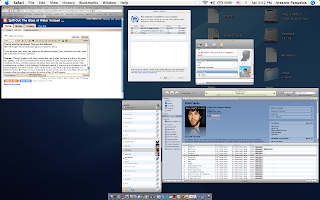
Exposé - Though Windows will never imitate this, this is Mac's answer for the lack of a taskbar. And it's not as cumbersome as you may even think. In just a press of F9, all the windows you have will show and you can select them and with ease because no matter what configuration you have, it will definitely be fast and smooth. If you have lots of windows of the same program, let's say a browser, F10'll do the trick.
If you want to go to the desktop in a flash, F11 is key. But if you are more dependent on your mouse, you can even define the corners wherein when you place your mouse, the action of say, F9 will happen.
CAPTION: Expose all your running programs with Exposé

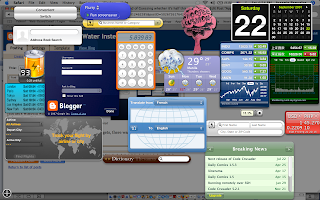
Dashboard - Before the Windows Sidebar and Gadgets, there was Dashboard and Widgets. Apple currently has a range of widgets from useful stock quotes to stupid whoopee cushions.
In Leopard, you'll be able to create
your own widget by just cutting a portion of any web page and putting it th ere in just 3 steps using Safari's WebClip. They will be refreshed constantly to give you the latest information.

CAPTION: My own dashboard. Yes, it has the Whoopee Cushion.

Spotlight - Per-word searching and Boolean (AND, OR) logic make the search function for the
Mac specific and human. For example, if you search 'Garage and band', not only will the GarageBand application appear, other stuff that involve the word Garage and Band will come to you in literally a second. It's placed on every Finder window (Windows counterpart: Explorer) and was definitely imitated by Vista. Too bad Vista's search is practically brain-dead while Mac's search is dead simple. Plus, it has direct desktop search which Windows Vista doesn't have (you have to bring the Start menu
out which is slooow).

CAPTION: I'm looking for GarageBand yet typing 'ga' gives me that result in just a fraction of a second!


GarageBand and free iLife in every Mac - Though mine are outdated, I'm pretty much very contented with what I have. There's iTunes (it's free, of course), iMovie, iDVD, iWeb, iPhoto, Quicktime Player and GarageBand. Hell, GarageBand already makes up most of the experience. You can make your own movie scores, songs and even podcasts! Plus, it has more than a thousand preloaded sound effects that are cinematic which can be expanded further by Jam Packs.
CAPTION: The iLife suite exposéd. Clockwise from upper-left, Mozilla Firefox (which is not part of iLife), iMovie, iLife, GarageBand (center, highlighted), iPhoto (below GarageBand), iWeb

Hope this guide helped... Hehehe.

July 12, 2007

Friday the 13th tomorrow... and I'm getting unlucky already!

This is superstition, I know. I've been believing that it is until now. I have a DVD that I want to burn and IT'S NOT FRIGGIN' BURNING properly but I hate to admit that it's not really something to blame Friday about. Besides, it's Thursday and I love Friday, whether it coincides on the 13th of a month... (what a waste of blog space! Hahaha)

Wuh-oh!
We need to study like dogs everyday starting today about Biology... Ugh. I HATE terms!

Paramore
To cheer me up, I watched a music video of Paramore, a band (indie perhaps?) and they sound great. Hope to see their album in the Philippines.

A vLog
I wonder what would happen if I create... my own vlog! LOL. Gonna try 2morrow.... IF and only if I have the time.... (One of the wonders of iSight on MacBook... lol... I'm suuuch a fanboy)

Drool...
I wanna sleep! But I can't get my daily fix of proper sleep because of this LE task! Crappolicious! (My new word... created out of exasperation and drowsiness... :-D)

April 18, 2007

Finally... I've got Vista!

I got so impatient I decided to buy a (bleep!) one... (I'm protecting myself from Microsoft... corny isn't it?) I've installed it in the MacBook and as I type this post, I'm currently installing it on my desktop. The bad part is that there's a lot of ek-eks and artes that I had to do before I got to finally get optimum compatibility! Whew! Well, sayonara for now!
 
Elegant de BlogMundi