July 15, 2010
Droid X Self-Destructs in 5...
In the Android platform, Google gives you the option to 'root' the operating system, which basically enables the user to gain access to the filesystem, ala jailbreaking for the iOS. Despite the open philosophy of Android however, Motorola has opted to place a hardware de-activator that shuts your phone and turns it into a useless brick until it's sent for repair.
It basically reads the entire phone to detect any 'unauthorized modifications' and makes it self-destruct. For good.
Hell, at least Apple doesn't shut down iOS devices for good. This one's kind of out of line and deserving of its own class action suit, because not only does it void a consumer's warranty, it also doesn't let a consumer USE his own phone which is the reason why he bought it in the first place.
And yet, of course, Moto is not Apple. They will have it good and Apple will get all the attention- enough to even warrant an unexpected press conference. Just for an antenna. Just for something that can be resolved with a cheap case, maybe even some electrical tape.
But the worst part in all of this? I was actually rooting for this phone.
- mobile blogging mode
May 21, 2010
The Thing With Android
Google Android, in its introduction, was a bold step forward in the smartphone software space. It was an OS that supported multi-touch gestures, unsigned software, and alternative skins. You could tinker with it however you wanted, install whatever you wanted, and styled it in any way you wanted, and if you wanted to install Android into your netbook or smartphone, you could do that, and Google won't charge you a penny.
In theory, it's so much better than the iPhone OS, and HTC is such a great handset maker, but why oh why does it not have the same amount of success the iPhone has?
I can count the ways.
1) It's the GUI.
To say that Android is a big usability nightmare would be a huge lie, but to say that it's as simple to pick up as the iPhone would be an even bigger lie. A bit like Nokia's open-source Mameo, Android is more beloved by the tech-savvy, but as time passes (and unlike Mameo), this concept is quickly changing.
As of now though, the OS involves a bit of getting used to before you can exploit everything it has to offer, but once you do you'll be able to do some pretty cool stuff.
Truly, through every update, the usability of the device improves, but there's just something about the UI that can seem really overwhelming at first glance. I could even go as far as to call it a little excessive. It's cool that Android has widgets, but I'm not quite sure why I don't feel like it's ideal to place them together with the app icons. It's also cool that it has live backgrounds, but how much more eye candy and bells and whistles does a background need? At the end of the day, it's just a background, an animated one yes, but a background.
Also, you're only limited to 5 home screens. If Apple's 10 or so home screens aren't already enough for the normal consumer, what about FIVE? (And yes, I know that some Android phones have about 7 or so, but... SEVEN?)
2) It's the Multitasking.
Normally, multitasking would be a good thing, but when it involves sacrificing a lot of juice, that's when it becomes really bad. Just running a Twitter client in the background would jeopardize the battery life! Truth be told, the iPhone has an incredibly weak battery life with or without multitasking, but when this is the kind of multitasking that Google fans flaunt on Apple fanboys, it gives Darth Jobs even more reason to trumpet his company's version of it (which involves putting apps in suspended animation instead of true-blue multitasking).
Oh, and there's a Task Manager. A computer can have a task manager, but a portable device, hell, a phone, simply cannot. It would be a huge waste of time to deal with a Task Manager on a phone.
3) It's the Android Market.
Android Market is one of the most open markets in any phone ever seen, and it is also one of the largest when it comes to number of apps, only second to the iPhone App Store. But you're not limited to the Android Market, you can also install unsigned software from other sources, and Google wouldn't give a crap. You can do what you want to do (yes, even install a porn marketplace) on an Android phone.
But, taking other opinions of iPhone switchers into consideration, the Android market doesn't seem to have the same polish that other iPhone apps have. Yes, Google will definitely be able to flaunt the now exclusive to Android Simplify Media app, but what happens when you compare Twitter for iPhone against Twitter for Android? Based on reception, there's a huge gap between them in terms of functionality and usability.
On Android, it's true that there's an app for anything, but they tend to not be as polished as the ones on iPhone, at least, that's what they say. I mean, it's not actually Google's fault that this claim exists, it's the developers'. I mean, who can blame them when the cash is in the competition? I'll leave the door open on this though, since I only have a limited amount of quality time with Android phones to begin with.
4) It's the hardware.
The fact that Android is open to any hardware manufacturer is a good thing. Not only is the OS free to distribute and tweak, it can also adapt to any form factor. If it weren't, there wouldn't be any HTC Sense (which is a stunning UI), Timescape (Sony's eye candy), or Motorola's Motoblur.
It's not a question of why Android can't have a uniform form factor, it's a question of release dates. The hardest part of deciding on an Android phone is, ironically, the large variety of phones that are out there and how long it will be able to stay current. The original iPhone took three years before it was considered completely obsolete to support new software updates, while the original Android phone, the HTC Dream, lasted merely a year and a month and it couldn't support Android 2.0.
Still, newer phones do have more allowance for newer Android versions, but the thing is, they won't have the same insane Snapdragon thingamajigs and the 4G connectivity of the most cutting-edge Android phones. You'd think that Moore's law would dictate that to be natural, but who wants to say that it's natural when these new phones release barely a month after the new hottest item?
An example: HTC's Droid Incredible just released with some of the best ratings ever for any smartphone. And then comes the Evo which supports 4-fricking-G, not to mention that it's also made by HTC. Do I buy the Evo now, or should I wait for the next hot Android phone to come along?
5) It's the catching-up.
While Android phones after the HTC Magic are able to upgrade to the newest version, some phones that have custom skins lag behind phones like Google's Nexus One.
Why is that?
The Google phone runs on official software, while the HTC's, the Sony's, the Motorola's and the Samsung's modify the software to match their tastes, so when a new version comes out, all those companies will have to take time to make the new features work with their own flavor of Android before releasing it to the general public. In other cases, they'll just release the new version of their software to new phones and screw all the older ones behind. Seriously, that sucks.
6) It's the Flash.
The new Android 2.2 will support the Flash player. If you don't know what the heck Flash is, you are living under a rock, but for the sake of courtesy, it's basically a browser plug-in that animates shapes, programs free games and plays video on YouTube.
Flash is insanely notorious for being a resource hog, especially in the Mac platform (which is one reason why Apple hates Adobe) and can cause real crashes. However, it is a good thing, in theory, to have Flash on a mobile platform because it's pretty ubiquitous in the internet.
Adobe's tight collaboration with Google could possibly change the landscape of Flash on a touch-based platform, or it could just prove that it will suck terribly. Either way, the two companies have worked on a way to preserve battery life and resources while working almost perfectly.
CNet's demonstration of this feature makes it look like it works well, but it has yet to be known whether Adobe has worked out on a way as to how mouse-overs will work when it comes to Flash ads and some games, because Flash is not only for video, it's also for games and ads.
When they do find a way, then Apple might even have little choice but to jump on the bandwagon and begrudgingly work with Adobe. But even then, I doubt that this collaboration will totally be kink-free.
May 20, 2010
Google unveils WebM
Google, known for having deep pockets and a stance on open-source code, unveiled a new video codec for the web called WebM in its annual I/O conference.
Basically, it's a video format that does not demand royalties from content distributors- amateur or commercial- and enables free and easy distribution of video and audio content through the products of the (several) companies that support the new standard Google is pushing.
The standard is based on V8, which Google acquired from On2 Technologies, and the company is releasing the source openly for everyone to tinker and incorporate into their products.
Notably, a lot of major companies (Mozilla, Opera, Adobe, AMD, ARM, Logitech, nVidia, Skype, etc.) are expressing support over the open codec, and Google is even going as far as wanting to incorporate it into "internet-connected TVs".
March 26, 2010
Requiem for an iPod?
After water, that abomination, swept into my iPod touch, I decided to follow the interwebs and put it in some rice overnight.
Today, I got the iPod out from the bag and this is what it looks like:
At an angle, the streaks of water become very apparent. Maybe I should put it in rice some more, but whatever the case it still works like it's supposed to, and that's quite a relief.
No dumb volume control glitches, no unresponsive touch screen, and no dysfunctional home button.
The screen, in the normal, upright position, doesn't even show the water. Heck, when the iPod is turned off, you couldn't even tell. In an angle, when the iPod is turned on, that's the only time the watermarks are apparent. I'm kind of bothered by them, but I suspect that they might possibly dry off any time.
Is it time for a requiem? It isn't looking necessary to me.
March 25, 2010
Pwned: MY iPOD TOUCH
A tsunami of relatively microscopic proportions swept through my table this morning as I knocked down my glass of water (har har har) thus letting some of that water enter through the molecules of my somewhat protected iPod touch. It has a screen protector, it has a silicone back protector but the water still got inside the screen thus rendering the device a bit of an unresponsive multi-touch brick.
Luckily enough, Wi-Fi still works, earphone control still works, and Facebook was still nagging me with push notifications. System was good, but I was not able to actually use the screen; touch was unresponsive.
Since it's a 3rd gen iPod touch, warranty is still in the equation even though it doesn't really cover water damage. Scouring the Internet for solutions, I immediately saw a common answer: put the device in a bag of uncooked rice. Surely enough, I got a bit of rice and put them in plastic alongside the iPod touch, and stored it in a cabinet.
As we speak, the rice is hopefully doing its magic.
This is even sadder than 2012.
March 23, 2010
Nintendo introduces 3DS
After Avatar, every movie company has been screaming their respective heads off and promptly scurrying for their 3D cameras to cash in on the action. The gaming industry is actually no exception to this rule, and while nVidia has its fancy graphics card that requires the fancy monitor and the fancy glasses, Nintendo wants to take a different approach.
More specifically: they want 3D without the glasses.
While I have to admit that the prospect of that selling well is actually kind of high, especially since people don't want to pay for 6 more pairs of $150 glasses, I still can't find the point in all of this. There aren't really many details to be discussed about the device itself as of yet, but Nintendo is only hinting it as "the successor of the DS line", meaning that the 3DS will likely be a whole new playing field as far as Nintendo's handheld line goes, even going as far to say that "DS and DSi games are backwards compatible".
This raises a bit of hope that Nintendo will actually get rid of cartridges for its newer handheld games and distribute them digitally, ala the App Store or the DSiWare Shop. SD-HC will be the memory card, and Nintendo points are the currency.
Sounds rational, right?
Still, I have to mention once more: I can't find the point in all of this. If the system will be a huge graphical step up (as in, it'll possess graphics far superior to the PSP or the iPhone), maybe the upgrade will be a bit more warranted than that of, say, the DSi XL (which by the way isn't even released yet in the US). However, if it's just the same ol' DSi with 3D graphics, I don't see this device selling well, especially if cases of epilepsy or... 3DSickness or whatever get reported. It might just even be like a Virtual Boy... and we all know what happened to that piece of turd.
March 21, 2010
Twittiquette: Don't Look Like A Noob
Twitter is an ever-growing, increasingly popular social networking site that enables users of various standings to communicate with each other in an often brief manner. Still, if you're new to Twitter, you might find out that the Twitterverse isn't as easy to decipher and get into as you'd think, and this guide is here to help you not look like a noob because you asked about something that's common knowledge among Twitter users.
Question #1: What's an RT? A via? A backslash?
Before Twitter officially rolled out a "Retweet" button, some person asked the question, "In what manner can I copy and paste a tweet I really LOL'd to, without resolving to plagiarism?" and thus RT was born, meaning "Retweet".
The original format goes like this: "RT @person: Person's tweet". This means that you're retweeting (RT) another user's (@person) message. The syntax had been unofficially standardized until recently last year, but people who opposed Twitter's official method still continue to use this format, especially since they're able to comment on the person's tweet if the character limit allows them. How do you "comment" on a retweet? Well, you can add the comment before the words "RT" or you can add it after the message.
Other people have adopted another type of Retweet syntax, which is the "(via @person)":
Basically, one can retweet a message by typing "via", then the person who tweeted it (@person) after the message, all enclosed in parentheses. The addition of "RT" in the beginning is entirely optional. One could say that this is like "quoting" someone.
Possessing almost the same format is the "\via @person". It's still placed at the end of a message or tweet, but instead of being enclosed in parentheses, you save one character by adding only one backslash. In some Twitter applications, the format is applied through "Quote Tweet".
While you're able to comment on the message you retweeted using these methods, you'll be forced to paraphrase a tweet if the message exceeds 140 characters after applying the Retweet syntax. This is where Twitter's official "Retweet" button comes in.
Basically, you can hover over a tweet you really like and press the "Retweet" button. You'll be asked if you are sure that you want to share a funny or serious or whatever tweet to your followers, and you can press "Yes".
When your friends see the message you retweeted, they won't see your profile picture. Instead, they'll see the user name of the person who originally tweeted the message you retweeted, but there'll be a rectangular symbol with two arrows to signify that the message was shared by someone else other than the original tweeter.
So that also means, if you find a person who you're not following on your timeline, don't fret about Twitter going bonkers, look for the "Retweet" symbol first. Below the message you'll be able to see the person who shared the message to you.
Question #2: How do I know which tweet a person replied from?
From the get-go, Twitter was never really meant as a conversation tool, but the fact that the service has a "Reply" button pretty much dictates otherwise. You'll be able to conveniently know which tweet someone else replied to if you press "in reply to 'person'" which is located below the message.
When replying to people's tweets, you must definitely press the "Reply" button, unless you never want the person to reply to you ever again. Sometimes a person's timeline can be pretty busy, especially in the case for celebrities, and properly pressing the "Reply" button makes their lives so much easier because they know the tweet you replied to.
To properly "Reply", just hover over the tweet you wish to reply to, and press the "Reply" button.
This will automatically supply the username of the person you're replying to in the text box, so you can type whatever message you want in an instant.
If you fail to follow this basic principle, it may be a bit of a sign of disrespect to others; a ploy to confuse a user and to waste his time.
Also, another rule of thumb: if you wish to call out a person, or several persons, it'll be much more noticeable if you supply their user names by typing in "@" then their user name inside the tweet. Think Facebook tagging minus the convenience of an "autofill" feature.
If these people use Twitter applications (more on that in another post), they will instantly be notified about you calling them out. Unlike if you just call them out plainly by name, calling them out by their @username will more likely garner their attention.
Question #3: What the hell is the "#" for?
Twitter has a feature called Trending Topics wherein the system digs up the terms most used during that moment in time. In plain language, Trending Topics is a compilation of tweets that contain a certain buzzword, like "Justin Freaking Bieber".
Now if you'll notice, there are a few Trends that have the pound (#) sign on it. What are they for?
Well, in the past, someone devised a system in which tweets could be grouped in a way so they can be searched in an efficient manner using Twitter's search engine. So that means, if I said "FALLOUT ROCKS HARD", I could add in "#greatgames" or "#fallout" to categorize the tweet. These categorizations are called hashtags and this form of syntax follows several rules:
1) You definitely have to use the pound sign! If you don't use it, your tweet won't be categorized, and the hashtag won't be "clickable". You can click the hashtag so you can search for people who tweet within the same category (barring fake accounts that endorse pornography and spam).
2) You cannot put spaces nor punctuation in between words. The hashtag can only work if the words are grouped together without spaces nor any form of punctuation like apostrophes and periods and the like, which is why there are trends that read, "#imthekindofperson" instead of "#i'm the kind of person". You'll be able to make the hashtag more legible by smartly using capital letters, if you want. This means that you can use "#ImTheKindOfPerson" and have it included in the category regardless.
Well, that covers quite a few of the basics of the Twitterverse. Hope this clears up any of the alien language I myself encountered when first using the service. Understanding these concepts will help you focus on being Twit-Addicted instead of lost and confused. Happy Tweeting!
February 18, 2010
Windows Mobile is dead
Remember when I said Nokia's Mameo could potentially be the next killer smartphone OS? Well, screw that. Windows Phone 7 is here to stay.
In the wake of the iPhone, Windows Mobile suddenly seemed to become some of the most unwieldy user experiences ever put to a phone. But today's Mobile World Congress in Barcelona had Microsoft showing off its radically redefined OS. Like Windows 7 for the PC, Windows Phone 7 makes the Windows name attractive for mobile phones again.
(Of course, that's not to say that "Windows Phone 7" is an attractive name though)
I really love the interface, it seems so playful and alive- maybe moreso than the iPhone. The Start page is centered around what you want, and they are composed of tiles (that can have their colors changed) that give you information at a glance. You can instantly access the functions that matter from that home screen, and you can even pin specific people on it. Meaning that if you want to stalk someone's Facebook status or whatever, you can have instant one-tap access.
Using the same "panoramic" sensibilities of the Zune, the Windows Phone 7's native apps are powered by apps that have multi-layered functions that can be accessed with a simple swipe. While you don't have a sort of "page indicator" like in the iPhone, you do get a small arrow encouraging your finger to swipe to a direction. The redefined Contacts app of the phone, called "People", not only contain the most recent contacts you've dialed, you can also swipe to view all of the contacts, and swipe again to view their latest updates. As of now, the updates are only for Windows Live and Facebook, but I suspect Twitter, maybe even Google Buzz, is in the works.
Even in the Photos section, the Windows Phone 7 focuses very much on the people in your life. It will fetch the latest uploads of your contacts from, yes, Facebook and Windows Live again, and you can comment on those photos right from the get-go. Hell, you can upload your own photos as well with a simple tap.
The killer feature of the Windows Phone 7, however, is probably in the form of Xbox Live. You can see your avatar, your gamerscore, your friends list... you can even play some Windows Phone games or something and your Xbox Live profile will probably be used in these games. This actually makes for less user confusion, I mean, the iPhone has a few Xbox Live style apps in games, but Microsoft's offering is much more centralized and unified. Still, you must also remember that Xbox Live is a paid service.
The Music and Videos app of the phone is likely the entire Zune HD, so to speak. The phone will also be powered by universal Bing search, which can be accessed by a specified Bing button.
The phone will also sync your contacts, mail, etc. wirelessly over Wi-Fi, so there's no need for that USB cord, except for when you want to put music and videos as well, which requires the Zune software. Probably the biggest downside of the new OS is Microsoft's stubbornness to the Mac; basically, Microsoft still doesn't want to expand its market of users by supporting its syncing software with the Mac, and that is simply the biggest shame of all. Still, I'm glad that Microsoft's taking a stricter stance on hardware makers, so they won't be able to rape the user experience. Only limited hardware makers have access to the OS, and skinning is not allowed unlike the Google Android.
Seriously, you have to see a video of this OS to believe it.
The iPhone has forced Microsoft to rethink its mobile strategy, and look what the folks at Redmond have conjured up! Now, it's Apple's turn to impress. Will iPhone 4.0, please stand up?
February 13, 2010
Gimme some Internet love, Google
In a surprising move, Google has initiated an "experiment" that enables governments and municipalities to participate in a project that'll enable fiber optic networks to be connected to every home and support a community of 50,000 to 500,000 people.
Wait, wait, what am I talking about?
Basically, Google wants to bring bleeding-edge speeds to your Internet connection, and by bleeding-edge I mean 1Gbps of sheer power. That can be utilized through the connection of these so-called "fiber optic cables" to your home, and while this is still a very American project, here's to hoping that Google will actually be able to expand this network worldwide. A fat chance, to say the least, but a tempting proposition.
One can learn more about this "experiment" in the Google Fiber site.
January 26, 2010
Tablet Rumors Swirl

A lot of concept images (and fake 'real' pictures) have sprung up in the interwebs and quite frankly, they get more and more ludicrous (yet somewhat believable) by the hour. It's seriously insane!
Some say it'll hit the $600 spot, which is something I'd kind of bite depending on features and OS, but some also say it'll be subsidized ala the iPhone, and will possess always on 3G so you don't need a Tattoo or a BRO.
Of course, everything's speculation at this point, and Wednesday's event will be the only determinant of everything. Thursday in Philippine time.
Steve Jobs has been quoted in the Q1 2010 earnings report (a whopping $3.62 billion, btw) as saying, "This will be the most important product we'll ever ship."
Setting the bar quite high, Apple. Don't overdo it.
Stay tuned for more tablet news (or otherwise) in this blog.
January 8, 2010
Palm ups the ante... Wii Fit style?
CES is still fresh with new announcements and some of the latest hot gadget news come from Apple competitor Palm which dished up two of its prominent WebOS phones and improved upon them.
And they didn't even bother with just making a new phone.
Even though I consider WebOS a very nice phone OS, I simply can't fathom the fact that Palm didn't just announce a brand new phone, especially now that Google's entered the fold with the Nexus One (how's that for on-topic?). Will there be excitement when Palm starts to sell the 16GB Palm Pre Plus or the Wi-Fi enabled Palm Pixi Plus?
Not really.
But of course, those who have held off a purchase of these rather decent phones will enjoy the, err, did they even bump up the specs? Seriously? I mean, at least put in some new feature. If Apple could make MMS and video recording- two conventional staples of the mobile phone world- a big deal, maybe Palm could put in a Voice Control that's better than that of the iPhone's or something. The Nexus did that, why can't they?
A better piece of news would have to be the fact that Palm's finally opening up the SDK, it was about damn time.
December 20, 2009
12 Days of Random Gift Ideas (Day 7)

Pictured here is the Samsung SyncMaster 2233SW, but I'm not really endorsing any specific model... I just like Samsung monitors in general, even if the usability issues made through the design will show up time and time again.
Last time I checked, a 23 inched cost about 8000 in PC Express, but the price will most likely vary.
December 3, 2009
Hope for Nokia?
While Symbian has progressed through the years, I simply lost all hope for Nokia when they had the chance to redeem themselves in the intense smartphone race, but despite the touch screen and the widgets, it's still good ol' untouch-screen-friendly Symbian inside. It's kinda like what I feel for Windows Mobile, but the thing is, Windows Mobile has already moved on to a more competitive state, so compared to Microsoft, Nokia was deteriorating.
Until Mameo.
It looks touch-friendly, modern, and more importantly, it's open-source. While the Mameo OS does require specialized software, at least it actually has a Mozilla-powered browser to boot!
The hardware, which looks relatively slim for a slide-out keyboard form factor, is very promising. 5 megapixel autofocus Carl Zeiss camera, a huge touch screen, and Ovi features make the phone look very now.
But this is just a preview, so it's hard to say if the N900 will truly change the way I view Nokia as a brand. Fingers are crossed.
November 20, 2009
Chrome OS detailed
November 10, 2009
My Twitter account is... LOCKED?
November 6, 2009
iDo think the Droid has potential.

March 14, 2009
Another New Shuffle design leaked?

March 11, 2009
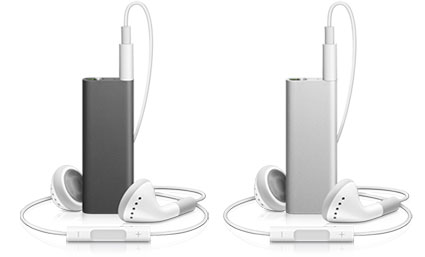
Behold the new iPod shuffle


November 22, 2008
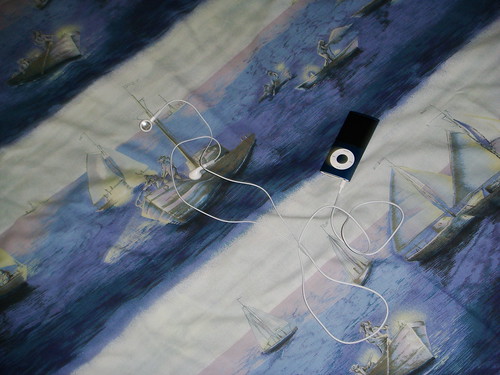
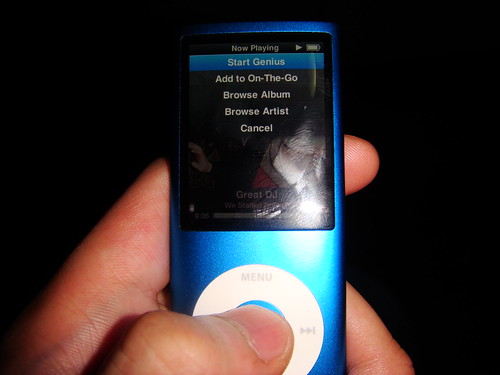
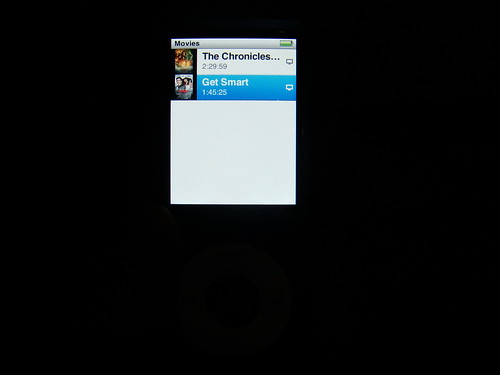
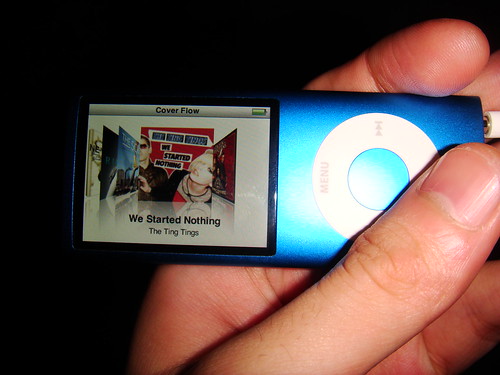
iPod nano 4G review


+ Excellent screen
October 29, 2008
Windows 7: Looks good so far
"Ugh, can't this get any worse?," I asked myself. So I downgraded to XP and now I'm happy with a Mac, with Windows as a gaming platform more than a productivity, or all-around for that matter, platform.
Now, Microsoft promises Windows 7- the next Windows to be released in 2010- to be less bloated, and better to use while retaining the appealing interface design. And for the first time in a long time, I'm believing in Microsoft's promise. No really, making the jump to 7 seems like a very reasonable idea in the future in my opinion, and that's because of these few adjustments (using pictures stolen from C|Net and is subject to change since this is pre-alpha):Universal Ribbon Interface
Love it or hate it, the Ribbon interface is probably the future of Microsoft products, so I guess we better learn now. Perhaps I'll grow to love it too, so yes, I'm gonna resolve my differences with it and embrace it. Below is a picture of the new Paint.
Now with Crop!Adjustable User Account Control
Instead of being able to either turn the damned feature on or off, you can now adjust how annoying User Account Control has to be. Hey, Mac has this too but less annoying. If Windows 7 can do that, I'm soo jumping ship from XP. Otherwise, sorry, this safety feature was just headbang-inducing back then.

Internet Explorer 8
I know that IE7 opens quick, but its standards compatibility is crap, and sometimes, the performance is just... sluggish. IE8 may (and will) change all that, and since it was 6 months ago when I first tried its beta (and it f**ed up my computer and I had to perform a System Restore), I'll just wait and see what happens in the end.

No more Windows Sidebar
I like the idea of the Windows Sidebar, I liked how it worked in Vista, but I liked it only when I installed Vista through Boot Camp on a MacBook, because it was virtually unusuable in my dedicated Windows computer. Now, you can put gadgets freely anywhere in the Desktop.
And while you can also drag widgets or gadgets onto the Desktop even with the current version of Vista, you'd still have to have the Sidebar on, and I can't have that, so I want to have this.

Bluetooth File Transfer Wizard
Bluetooth File Transfer had to be installed using third-party software based on my experience, so now, like the Macintosh, Windows 7 comes with a built-in File Transfer program for Bluetooth devices. Right now, it's only file transfer, but Microsoft promises to add more Bluetooth services.
Sticky Notes!Recycle paper! Save the trees! Use digital post-it notes!
And while Macs have been offering for almost a decade, the new Sticky Notes application will be very useful to many. Need to remind yourself of a task? OK, use Sticky Notes.

And for now, these are some of the promising enhancements being made to Windows. Fix it, Microsoft! Fix it now!