Showing posts with label technology. Show all posts

January 30, 2009

Netbook or Notebook?

There's something about the economy that makes one want to penny-pinch today. I can't lie, I'm saving a few pennies myself, and I myself am considering getting my own laptop when the time comes. But while I'm established on my stand that Notebooks are simply better, how about you? This guide will (try to) help you make the choice. Netbook or notebook?

The difference
What's the difference between a Netbook and a Notebook anyway?

Netbooks have generally got a boost in profit this year despite the economic slowdown, and that's because it offers a barebones, but tolerable computing experience for the Facebook generation. It basically lives on Wi-Fi and the Internet, and has great battery life, but in return,  users may have to be careful in picking the right netbook, as they don't always run Windows XP (or even rarely, Vista) nor do they usually have DVD drives and high storage.

On the other hand, Notebooks have been in existence since the 70's, and they offer better usability, better specs under-the-hood, more upgrade options, but in return, a significantly bigger price, heavier weight and even less battery life.

Perhaps, that comparison alone will help you make a choice, but if not, read on.

Long term investment?
I've usually regarded the netbook as a fad, but it doesn't seem to stop- not with this economy. But OK, so let's say you bought a netbook simply because you couldn't afford anything more expensive. Well, what will happen when the programs you need can't be installed because the thing probably won't have a CD drive, or that you are driving it to breaking point by doing something that would be a piece of cake for regular computers? That's what I mean by the statement of the netbook being a fad, and the addressing of the issue of the long term.

By buying a netbook, you may deprive yourself of the long term benefits a notebook typically has. Some notebooks have become very easy to upgrade, and the standard features that come with it (that don't come with netbooks) are a boon as well.

Still, if you plan to not edit videos, or do graphics work, you'll do splendid for a few years with a Wi-Fi connection and a netbook.

It simply depends on one question: Will I find a use for more (or the lack of) advanced features and use them frequently?

Ergonomics
How comfortable are you with the screen? Is the keyboard tactile? Is the mouse located conveniently near the keyboard? Are your wrists feeling good? Those are just some of the questions you have to ask when you decide to buy a laptop- or any mobile device for that matter.

Sometimes, users don't mind being uncomfortable as long as they are able to get used to it. But in long term use, people may get tired of something that pretty much feels downright uncomfortable, so technically, this category may well be filed under "Long term investment" as well.

This is where notebooks excel, just because they are bigger.

How portable?
How portable do you want it to be? Does battery life last my average usage time? Can it withstand the elements?

Those are the components that you need to consider when deciding, and the netbook excels here very much. Battery life is more efficient due to stripped components, and those stripped components also contribute to the tiny form factor. It all depends now, on the materials used to make it. Many netbooks are pretty much plasticky, with the occasional metallic touch here and there, so while light, kind of feels cheap and weak. Notebooks are not exempt from this either.

Thing is, progress is being made in the notebook arena in terms of battery life though, most recently on the 17-inch MacBook Pro which can last up to a theoretical 8 hours on integrated graphics- nearly like a netbook.

January 24, 2009

Mac turns 25

A big-budget commercial filmed by none other than Ridley Scott. An interface that changed the whole world. A relatively low price at the time. All the things we take for granted in the present, and the way we think about computers today, can be attributed to Apple, and maybe that legendary, introductory ad as well.
It was a time of IBM's dominance in the market, and Apple's ad represented the IBM monopoly. That girl represented the Mac, and its sheer difference from the competition back in the day. It still remains one of the most expensive TV spots of all time as it cost 100,000 short of a million dollars, and was based on the book 1984.

It helped popularize the mouse, drag-and-drop, double-click and generally the Graphical User Interface- meaning every little thing you currently see on your computer, cellphone, camera, and lots, lots more.

It was aimed at simplicity and ease of use- something that holds true today- and it took the world by storm.

We don't have to cover the ironies of the Apple of today, nor do we have to mention Microsoft's adoption of the technology a year later, as today's spotlight is simply focused on the ever-influential Macintosh.

So on this day of tech history, I give my salutations to the original Macintosh- we owe you lots.

January 10, 2009

CES: More cool stuff

There's always some fantasy that turns into reality everyday. Those fantasies usually come first in a movie, and with passion do tech companies turn them into something that simply seems second nature. Today, we have yet another iconic gadget turned reality, and it's the Watch Phone, courtesy of LG.

While there have been watch phones in the past, they've been big and bulky and clearly have drowned from the public consciousness. With this watch phone, it's all different. It's sleek, it looks cool, and it just looks awesome.

I mean, I'm not gonna be first in line because simply putting a wristwatch onto your ear would look damn silly, but the features are simply as brilliant as Dick Tracy's. I mean, first you get a touch screen based interface, and then there's the phone part, of course, then there's the music player and hell, a camera (with megapixels that have yet to be determined)!
Additionally, for your text messages, the watch will read them out loud for you. It's not yet known whether there'll be a speakerphone, but I suggest getting a Bluetooth headset because it has a feature that even the iPhone doesn't even have: stereo Bluetooth!

That is awesome, but impractical.

So let's see some more practical stuff then- like the Samsung P3.

OK, maybe it's just a music player that is reminiscent of the iPod touch. It plays movies, music, and shows photos. But here are some things the iPod touch can't even have because it's in the iPhone (oh wait, the iPhone doesn't even have them either): stereo Bluetooth, FM radio, built-in voice recording, haptic feedback (the thing vibrates when you touch it), a great customizable widgets interface and wait for it- a frigging phone.
Technically, the P3 is not a phone. But here's the thing: if you go through a few menus and select Mobile Phone Bluetooth syncing, you don't even have to use your phone anymore. Instead, you can receive text messages and receive calls because the P3 has a built-in speaker and microphone. It's like the surrogate of your phone! But don't take my word for it, watch it in action.


Interested? Well, like the iPod touch, it'll max out with 32 GB of capacity with 4GB, 8GB, and 16GB capacities to choose from. Prices unknown as of now, though.

Not practical enough? Already have an iPod? Well, then I don't know... Let's just throw practicality out the window, and say hello to glasses-powered 3D gaming by nVidia.

The glasses aren't as geeky as the red-blue glasses of the 50's, and the feature is already compatible with several current-gen games. All you need, however, is a special monitor, I think. Just shell out for that and $199 for the nVidia kit, and you're all set for that 3D LAN party.

There are sliders everywhere so you can adjust several settings, too, but if you're interested in this, just remember the Virtual Boy.

Surprisingly enough, 199 US dollars is kind of inexpensive, but my hearing may be wrong.

Perhaps that thing is too cheap for you, and you want to hear something outrageous. Fine. I'll give it to you.
What's this? A picture frame? Nope, it's a portable Blu-ray player- the world's first.

You can swivel the screen to make it look like a frame or a laptop, and... there are connections on the side.

Panasonic managed to fit the power of Blu-ray into this thing, and it'll sell for 799 US dollars- equivalent to about 37627 Philippine pesos. OK, perhaps it's not THAT outrageous when you consider that it's a Blu-ray player, but think about it like this: it defeats the purpose of Blu-ray.

How? Well, it's like this: High-definition is made for big screen TV's, so being able to experience high definition is next to impossible in a portable device. In short, you're better off buying a significantly cheaper portable DVD player, as it's more practical, and you won't notice the difference at all.

That is unless the device can output to a TV. That changes everything.

--------------------------------------------------------------------------------------------
*If you've been tracking CES, you may ask: Where's the Sony VAIO Lifestyle PC? Well, that netbook is pretty lame in my eyes. Stylish, but lame, like the MacBook Air, only significantly harder to use. Seriously, would you like to squint while using Windows Vista AND get used to that really small joystick in replacement to the touchpad? I don't think so.

December 17, 2008

Seriously Stop Using Internet Explorer

If you haven't seen it on Yahoo!, then I'll tell you: STOP USING INTERNET EXPLORER.

A new security vulnerability has been found, and it's effing serious. Tens of thousands of sites are littered with malicious code (and hackers can reproduce this code on other sites as well) and it seems to only affect Internet Explorer, regardless of version. Yes, even beta 8.

Still, malicious code isn't anything new to Internet Explorer users, and Microsoft will come out with a patch, right? Well, it's better to be secure than screwed by the time Microsoft releases a patch, because it seems that the malicious code that exploits Internet Explorer's vulnerability can be used to get your passwords.

I advise you to switch now. For speed, there's Chrome. For standards compliance, there's Safari. For customization, there's Firefox. And for nifty extra features, there's Opera.

November 9, 2008

Why the iPhone 3G is STILL innovative

On paper you'd see that the features you get on the iPhone 3G are sparse compared to even the most basic of cellphones. Come on, who doesn't think that omitting MMS and video recording are embarrassing for a company well-known to be the cutting-edge? Why does the iPhone lack so many features yet receive so much acclaim and praise?

Well, think about this: how often do you use your cellphone's E-Mail features? Did you know your cellphone probably had one (if it was made after 2003 or so)? How about your music player? Compare how much you used to listen to it when you first got it to the frequency of your music listening now. Do you even bother to surf the internet with your phone despite having 3G? Statistically, only 10% of users are able to actually use all of their cellphone's features to their advantages (especially multimedia ones) while the rest ignore them altogether or use them rarely and just stick to texting and calling. However, the iPhone changed all this.

Let a newbie take an iPhone for a spin, and chances are that most of the features it has actually get put to use. That's because most of these features aren't secluded into some stupid folder; they're just staring at the user. You want E-Mail? Press E-Mail and set up your Yahoo! mail account credentials! Music? Ha! It's right there unmistakably in the iPod! It's all driven by one-click (or in this case, one-touch) access, because people become tired of having to slog through various menus and stuff like that just to access this one little feature (-cough- Nokia! -cough-). It's convenient and an extremely quick way to access features, and it's surprising that no other touch-screen phones before it have done stuff this way. This kind of reminds me of the old Nokia phones of lore, or even current Sony Ericsson models. You only had to push Menu and there the features were. Now, you have to go through hell to find where the Address Book is (-cough- Nokia! -cough-).

That's primarily the driving force behind my dad's batchmate (the same batchmate I mentioned in my CEL '08 post) preference of the iPhone to the significantly more feature-packed E61i- the menus weren't convoluted and the features were staring at you in the face.

Oh, and here's another game-changer that Apple put: an accelerometer. Some phones have already been using the accelerometer for other gimmicks even before the original iPhone came out, but the accelerometer in the iPhone wasn't a gimmick- it was a legitimate function. Gone were the days when you had to click a button and search a menu to make a video adopt a landscape orientation in the screen. All you had to do was flip the phone sidewards, and voila! Same goes for the music navigation. If you find having to flick your finger tiresome just to find a specific song, why don't you flip the iPhone sidewards to access Cover Flow? And how about surfing the web? If you feel that the web is more justified with a widescreen view of things, why not flip the iPhone sidewards as well? See? Legitimate feature and less gimmicks.

Speaking of which, multimedia also plays a big part in the iPhone. Once you've loaded up your iPhone's music library, you can immediately plug any ordinary headphones (in the 3G iPhone, that is) to replace those crappy Apple ones and enjoy. Or if you're on a plane, get your iPhone on Airplane mode and watch your favorite movie. This thing could replace a dedicated music player if not for the lackluster battery (my dad's iPhone 3G's battery has even become defective!) and for the refusal of Apple to let users put music manually in it.

And how about a mention of Visual Voicemail? Voicemail may not be popular in the Philippines, but this killer feature has been tremendously helpful to the Caucasians out there. Normally, voicemail could be heard only through the order of which the mail was received. In the iPhone, you could access the voice message you want in a menu. It doesn't matter in the Philippines, but it still matters that the iPhone is actually the mobile that pioneered such a feature.

Lastly, the App Store. Yes, the Palm has apps, Windows Mobile has apps, Google Android has apps and your phone probably has apps too, but the rapidity of popularity the stuff in Apple's App Store has is astounding, thus the quantity of apps that get hosted there are also rapidly increasing moreso than the competition if claims are to be believed. Whatever the case, getting an app is easy after you make an iTunes Store account- and most of them extend what the capabilities of the iPhone and make up for most of the lacking features.

All of these elements combined with a stylish and extremely nice presentation make for an unmatched user experience, and they are what make the iPhone the innovator despite having some of the thinnest feature sets in any smartphone. 

Now it has sparked competition between other companies, and they're trying to match the experience on other platforms. And this competition attests to the power of Apple's innovation. But has the competition been beneficial? Well, it has also caused some brands to drop features they normally would have, and the physical keyboard is sometimes non-existent as well. Whether you like the touch keyboard is up to you, but I think the competition for touch-screen phones is beneficial to those looking for alternatives like the Omnia or the Xperia X1. But for those looking for beefy featured phones should look elsewhere. That is, unless the right one comes along.

So how much more proof can you get to see if the iPhone is truly a fad or something revolutionary? Bugs don't mean anything when you're actually talking about something like this, mind you, and security issues are significantly different affairs. So even if, on paper, the iPhone 3G is lackluster in features, it more than makes up for the experience.

October 27, 2008

CEL '08

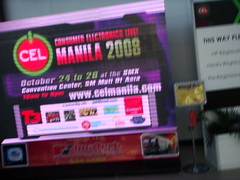
It's been one of my short-term dreams as a tech geek to get to attend a tech convention. And while Consumer Electronics Live '08- held by Summit Live- is no E3 or MacWorld, it's a good attempt at creating a family-friendly gadgets convention- and probably the only local effort to date.
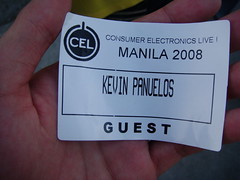
So anyway, we went to the SMX Convention Center which is of course found opposite the Mall of Asia, signed our forms, got our tickets and name stickers, and got in.
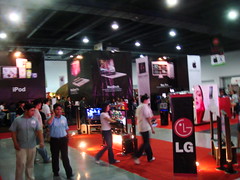
When you first go in the huge doors, you'll see the LG stand, and behind it, huge black columns of what are obviously Apple gadgets.
So probably you're thinking, "OK, OK, I get it, but what about the gadgets?". Well, OK, OK! I'm getting to them!

Apple
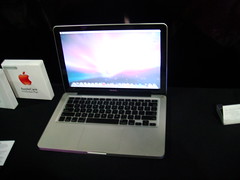
My friends know that I'm pretty much an Apple fan (note the lack of the syllable, boy) so the first thing I did was to go to, yup, the Apple booth. It was minimalist with black tables, with the real units placed beneath their respective columns for mass fondling. Maybe you've heard about the new MacBooks that just came out recently, and yes, I got to try them, but not exactly as extensively as I could've wanted.
When up close and personal, the laptops are just as beautiful as they are in the pictures. Problem is, the added sheen and gloss will turn off a few people, and the new "buttonless" mousepad may require a little getting used to.

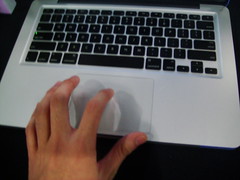
And to be honest, the only thing I tried in both MacBook and MacBook Pro was the keypad. How hard do you have to push to activate the huge button? Are the new four-fingered gestures useful?

It may appear conspicuously absent, but the mouse button you normally see in MacBooks are now located in, well, the entirety of the trackpad, meaning that anywhere your finger is on the trackpad, you can just push it with a bit of force. Still, you can tinker with a few settings to exert less effort in clicking the huge thing, but when you get used to it, it actually feels really nice.
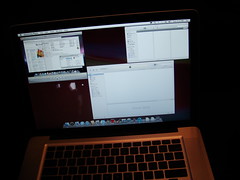
Same applies to the gestures. While you may have to memorize them, they will affect your work immensely. When you swipe four fingers up, your open windows instantly go up to reveal your desktop. When you swipe your four fingers down, you get to choose which of the open windows you want to put your attention into. Swiping left or right will reveal the application switcher- much like the effect of pressing Alt-Tab on a Windows computer. (The picture is a bit dark because I forgot to turn on the Flash, I'm sorry.)
Once you get used to this mouse, it's hard to go back. The multi-touch trackpad is still brimming with innovation. And they're cheaper here!

So, the iPhone 3G is old news, but that booth was still crowded. Likewise were the iPods.

Enough about Apple though. Let's see some phones that kick the iPhone's butt.

SamsungSamsung makes some really nice phones. Their first attempt (I think?) in making an "iPhone killer"- the Giorgio Armani phone- is very laggy however, therefore using it was a bit of a pain really.

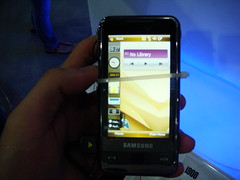
Things change when you try out the Omnia.
It already looks cool when you see the home screen, and that's because it acts like the Windows Vista Sidebar. Meaning that you can drag "widgets" onto the screen and play with them. This is a nice touch, and a useful one at that.

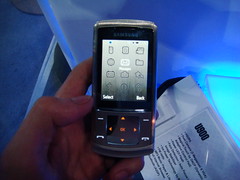
But how about something not iPhone-related for a change? Over here, we have the Samsung Soul with its dynamic four-way directional pad. This means that depending on the feature you're using, the orange-lit directional pad will change its symbols accordingly. And if you touch that keypad, you get this vibration ("haptic feedback") that lets you know that the phone knows you're pressing one of them buttons.
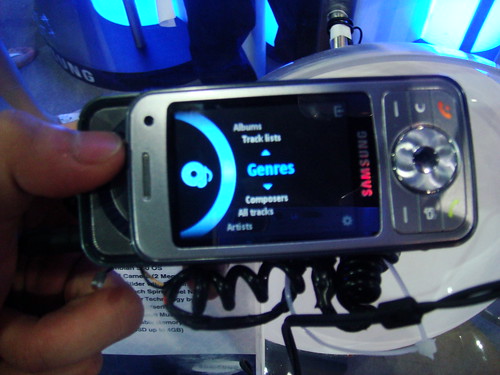
And then we have the err... to be honest, I forgot what it was called, but it was advertised heavily in the newspaper. It's this Samsung phone that has a roller that reveals itself if you slide the phone to the left. It's flimsy to tell you the truth, and virtually unusable.
The scrolling wheel on the left side sucks.

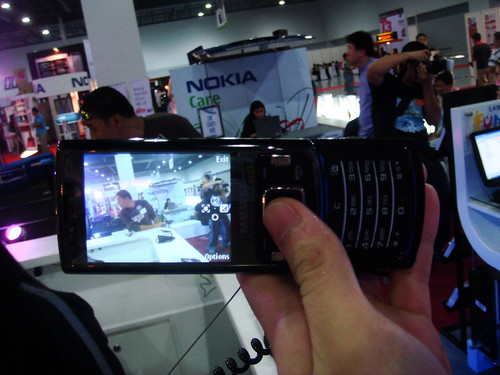
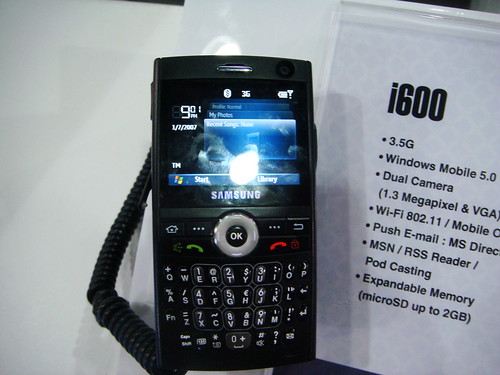
And then there's the one with the 8-megapixel camera which is nice, as well as the i600 which is an elegant, serious smartphone.
Yes, this thing may have an 8MP camera and excellent face detection, but does it really rival my beloved Cybershot? ....YES IT DOES... kind of.

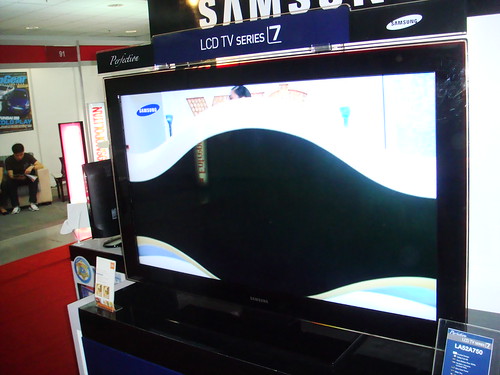
Still, Samsung also brought its caravan of other products with it: air-conditioning, laptops, and of course, their beautiful high-definition LCD TV's.
Samsung HDTV's: Still beautiful

Nokia
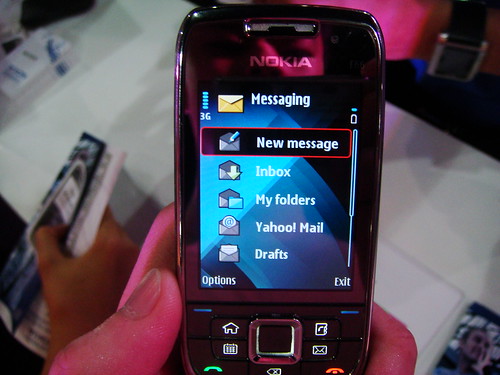
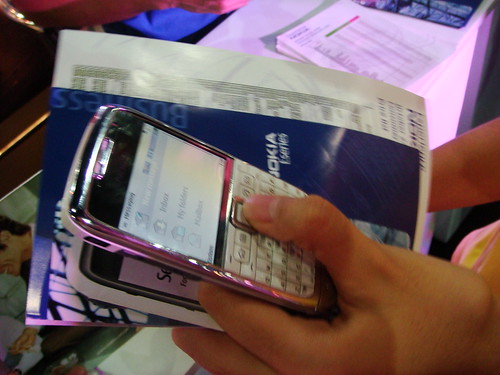
We then headed for the Nokia booth, which was pretty elaborate. Ironically (since they are a very popular company), they were a bit stingy on the demos, but we did get to try out the latest Nokia E series models, namely the E71 and the E65- both capable phones in their own right. Still, the shortcut buttons found in both are more invasive than useful since they're placed right on the softkeys, so you should expect some mayhem if you're in a hurry.
The Nokia E65.
The E71, which froze.

I can also really see now why my dad's batchmate hated the E71: the Messaging function has been placed into a menu item you need to access before being able to access the feature itself. Not only that, the demo model we used hung/froze on us (as seen above), but the Nokia representative's excuse was: "Ay OK lang po sir, prototype lang kasi yan.". Doesn't that make you want to raise your eyebrow?
Other than those two, there were only plastic models on display, which sucked.

LG and HTC
If Nokia was stingy with the stuff they wanted people to actually try out, both LG and Taiwanese brand HTC didn't even have anything to offer for the people to try. I was very disappointed of that, especially with HTC, because their phones look extremely nice (and have the most potential to kick out the iPhone).

LG, however, also brought out its caravan of appliances and TV's. Its centerpiece TV, the Scarlet, was especially a looker.
Sony
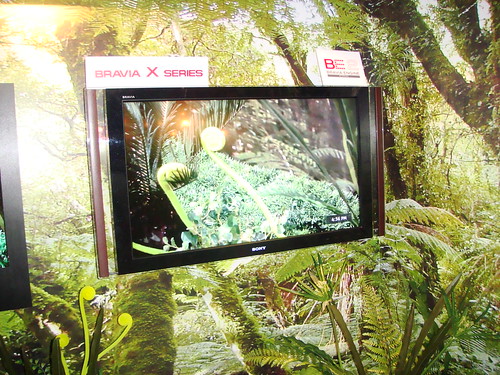
But Samsung and LG just can't beat Sony's huge booth. Almost everything they have right now has been towed there. From their newest Vaio's (which were announced days ago) to their nicest Bravia TV. Ironically, they didn't bring in their Sony Ericsson phones which I was dying to try.
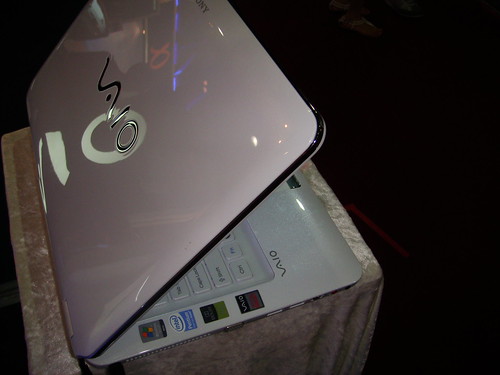
VAIO's style is only second, if not at par, with Apple.
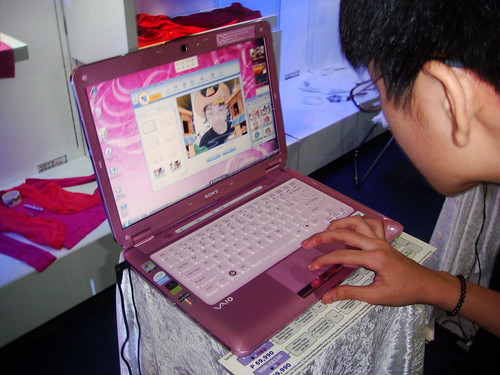
VAIO for the ladies.
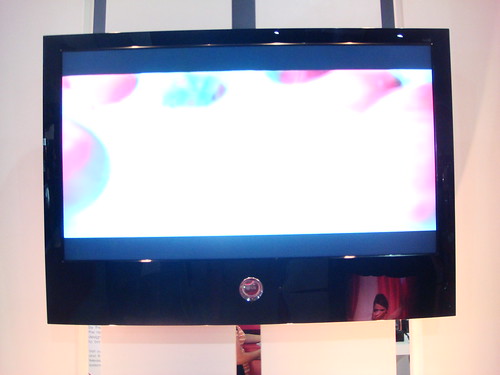
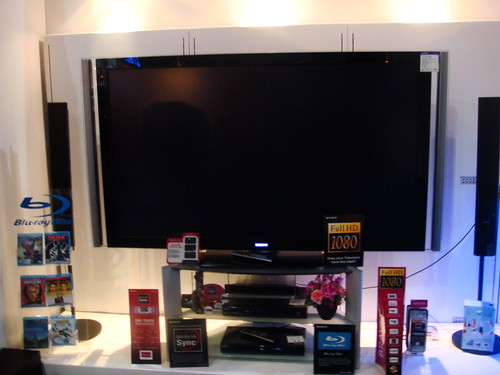
HD never looked so good.....

My dad was interested in the digital photo frames though, which were overpriced. Their new Cybershots look pretty though, likewise with the new Walkmans.
Walkmans still live!

my|Screen
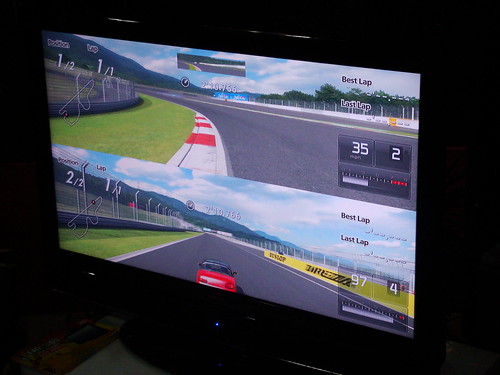
I don't like the my|Phone brand very much, but I was curious to see how my|Screen would hold up to its competitors. To be honest, the quality of the picture is solid and pretty good since a PS3 was used to demonstrate its capabilities, and wow, they had 50% discount.
Their booth was probably the most unique actually. They had this island motif, and their space was just full of sand.

Others
Many other brands participated, such as Canon, HP, Acer, Bose, Mazda, BMW, etc. but we didn't check out the latter 4.

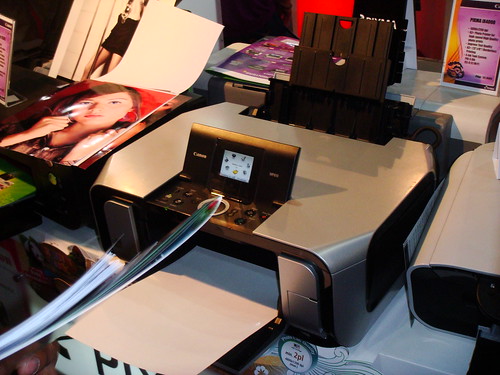
Canon had some neat printers and cameras which are their forte, while HP showed off their desktops. Adobe made an appearance as well to promote Creative Suite 4, but the only attendant of that booth was a guy playing Chess in the Mac being used.
Canon printers print nice pics.

And... that's about it, really. The numerous gadgets were rather overwhelming, and to make a description on them all would be madness. Still, I kind of liked the convention and it wasn't bad for a first time. (And too bad we missed the 6:30pm gadget giveaway, and that there are no games...)

Sorry for the sloppy writing... it's getting late. Heck, I was intending for this to be posted into separate Twitter feeds during the show, but... no Wi-Fi.

October 15, 2008

Say hello to the redesigned MacBooks

Here's chronological coverage from the keynote:

No death jokes today, but there's a "State of the Mac" address by this guy Tim Cook. Basically, he's saying that the Mac has been selling better than ever and he's stating many of the obvious (and a few too proud claims) reasons of this. I won't enumerate them because the notebooks are supposed to be our focus today... and this keynote ain't exactly cooperating.

11 minutes later, the Keynote presentation switches slides to reveal "Notebooks". However, Steve wants to talk about new building technologies first- in layman's terms, their new way of manufacturing laptops and computers in general- and for the most part, I wasn't listening. To summarize this, they discovered this new method of being able to put a slab of aluminum and making the laptop through machine from this slab. This is the very method they used to make the ultra-thin MacBook Air, and now, the new MacBook and MacBook Pro.


8 minutes later, Steve finally gets into business.

Yep, they're replacing the crappy MacBook video card by Intel into a sensible nVidia (GEForce 9400M GT) graphics card which is 5 times faster. So now even MacBooks can play WoW, Doom 3, and just games in general.
Plus, the new trackpads are buttonless and made of GLASS. This entire pad is now the button (just push the entire thing anywhere your hand is) and it's powered by multi-touch (the same tech for iPhone). And yep, there are new gestures using 4 fingers. Expose can be used by 4 fingers sliding down or up, and well as app switching by swiping 4 fingers left or right.
The new MacBook Pro
WOW, full glass, black bezel, super-thin LED display, and... is it me or does it look a bit like the MacBook Air?
Well anyway, it's gonna have a graphics card that's 82% the power of the Mac Pro's (GEForce 9400M and GEForce 9400M GT both inside), aforementioned glass trackpads, it'll have connections on one side, and a nice sturdy body (which Steve Jobs let the audience feel and touch and pass around for quite a long time...).

Impressive battery life is abound with 5 hours in 9400M mode and 4 hours in 9400M GT mode. Why have switchable graphics modes? For the games, the video editing, and the graphics work of course! With this thing, you definitely don't need a desktop computer.

And what's this? A "Mini Display Port"? Jobs says that it's the new industry standard for displays so... OK.

And oh! Removable battery and hard drive (and it supports solid-state drives)! Thank God.

It's gonna start at $1999 for 15.4" 2.4GHz 256MB graphics and $2499 for 15.4" 2.53GhZ 320GB drive 512MB graphics. Now shipping so you may see one of these babies tomorrow.

Hey, no Blu-ray?

Upgraded MacBook Air
Now, the MacBook Air has faster graphics, 120GB hard drive or 128GB solid-state drive, a Mini-display port and still at $1799 and $2499. For the first time, it's at least a pretty decent investment now. If you wanna actually buy this model, it's going out November.

24" LED Cinema Display
A nice ultra-thin big-screen monitor that Jobs says is best with the MacBooks. But it's not only a simple monitor, it also has 3 USB ports, MagSafe charger for MacBooks, an iSight camera with microphone and an environment-friendly LED screen that also reduces its footprint. $899 is what you need to pay for this thing.

MacBook
"Best-selling Mac. Ever." said Jobs.

Want a price reduction? You got it. Metal enclosure? You got it. Faster graphics? You effing got it. LED backlit display? Yep.

Behold! Black bezeled LED glass display, aluminum enclosure, nicer graphics by nVidia (GEForce 9400M), glass multi-touch buttonless trackpad, and Mini Display port plus 5 hours of battery life.Cost is $1299 for 2.0GHz Intel Core 2 Duo, 2 GB RAM, $1599 for 2.4GHz Intel Core 2 Duo processor and backlit keyboard. If you want the older MacBook, you can get it for 1000 dollars. Shipping today.

Video
There's always a story inside every part.

October 13, 2008

iPod nano hands-on: This is more like it

So today we went to Bonifacio High Street- always a pleasure to go to- and we went into iStudio where smack dab right in front of the doorway iPods both old and new were placed for mass fondling. Naturally, I went to the newer nano and tried it out, unfortunately I had to make do with my cellphone's video camera as its still camera is next to broken (it rarely works) but at least it's video!

You seriously have to hold it to see how amazingly thin this thing is. Still, I did not realize how sharp its base edges are. Sit down in a certain angle with that thing in your pocket and bam, potentially bruised leg! But I guess that's beauty for ya- like that pair of awesomely contoured but painful to wear shoes, you just have to make sacrifices for the sake of coolness.

That quirk aside, this iPod is unbelievably nearly as slim as a credit card which is no joke, yet like a shuffle is ultimately easy to lose because it can easily drop and the grip you have on this is thing is not exactly anything to write home about especially if you have sweaty hands like mine.

Features-wise, the new nano works excellently on most if not all accounts. Yeah Genius, although not turned on in that specific unit will depend on the kinds of varieties of music you have in your library. The accelerometer is surprisingly snappier and more responsive so you get to Cover Flow mode in your music or landscape mode in your photos faster if you rotate the position of the iPod... or maybe I got used to the angle you have to rotate the iPod in to do those things? Whatever the case, the nano does these things beautifully. Unfortunately, the controls don't rotate accordingly, thus even when you flip the nano 90 degrees, the Menu button does not become either the Next or Previous buttons in the click wheel, the function of the Menu button merely remains the same.

But another thing that's more responsive is the aforementioned Cover Flow. When it was first introduced in the fat nano and the then new classic, operation was rather slow unlike in the iPod touch where it was invaluable as a navigation tool. Now, well, the new nano doesn't exactly change everything, but it feels less slower and more responsive.

And when you fire it up, you'll notice some more practical aesthetic changes in the interface. You know that little preview screen that divided the real list into half and made navigation slower? It's been relegated to the lower part of the screen instead seeing that the screen's dimensions don't exactly fit a setup like last time's.

Another beautiful aesthetic change comes when you actually play something because it now looks like the iPod touch's Now Playing screen wherein the album art covers up most of the screen. And if you hold on to the center button long enough, you'll see a new context menu with options for browsing songs of the same artist or album, for adding a song to the On-The-Go playlist and for starting Genius which makes a playlist of songs that it thinks sounds great with the current song, which is a nice touch.

But if you don't seem to like a specific song, you can always give the nano a vigorous shake as if you're blaming the nano for making yourself know that you have a horrible taste in music, so it will switch tracks and activate Shuffle. If you're wondering whether this gimmick will ruin your mood because it'll repeatedly switch tracks while you're running or jogging, don't fret, because Apple worked hard to make sure that that will rarely happen, if not at all. Besides, if the thing is on Hold, shake-to-Shuffle is disabled anyway. If you're still paranoid about it, you could always disable it entirely.

As I mentioned in an earlier post, video and picture quality are superb, and the screen has become more tolerable for longer video viewing sessions, but I encountered plenty of glare. The video or picture you're viewing will rotate accordingly to the angle you're viewing unless it's portrait though.

I didn't get to try out the acceleremeter driven game Maze, nor was I able to gauge how clear the Voice Recording feature was, but it's still safe to say that the new nano is a more than welcome enhancement- and a must-buy especially with its competitive price in the 8000-10000 peso range for 8 and 16GB models.

On an unrelated side note, the Fully Booked Bonifacio High Street branch is just pure heaven for booklovers. So obviously today was also my first time going in there. I mean, what more can you ask for with a whole building devoted to books of all genres? Starbucks? It's got that too.

August 30, 2008

Something For Vista Users

Tired of crashes? Your video camera not compatible? How about shoddy 64-bit support? Well, this ad has something just for you.
^^

August 7, 2008

iPhone gets (officially) dated in the Philippines; Price outrage

So I accidentally pushed enter when Mozilla Firefox's Awesome Bar led me to Globe instead of GameSpot, and when the page loaded while I was typing the correct address, I saw in the headlines of a portion of the site that they have officially dated the authorized release of the iPhone 3G in the Philippines. Fellow Filipino geeks, mark your calendars for 22 is the magic number- August 22.

Globe announces in their article that they will have a specialized plan just for the iPhone 3G, ranging from offering free Wi-Fi and mobile internet browsing hours to the offers that exist today. The details are really, really shocking, but you can reserve your unit now.

But I assume you didn't click on the link found in "really, really shocking", so I'll let you see what's so shocking about it.

I assumed back then that you can get the phone for free at plan 800 when you convert 199 USD to peso, but I was DEAD wrong. I mean, of course, a high-end phone without MMS and video recording should be free (but only the 8GB model, not the 16GB) at Plan 5000 although it comes bundled with unlimited WiZ (Globe's Wi-Fi service) hours and many free texts, voice minutes, and mobile internet.

And if you're on prepaid, your luck has run out. You know why? It is pricey. It's like you can buy something more feature-packed like, I don't know, a video camera? Oh wait, how about a MacBook or almost any laptop for that matter? A phone isn't worth this much, not even Sony Ericsson can match the price of this (I heretofore regard as) pile of $hit. Why? It almost costs an iPod shuffle covered in real gold; it costs 41,889 pesos for 8GB and 48,899 pesos for 16GB. But I think it's open to any network.
 
You'd get a LOT MORE value with an illegal/jailbroken iPhone 3G that's been hanging around since its release. Better yet, you can go to America and take a chance on unlocking it in Greenhills.

February 4, 2008

Tech Tips: Karaoke Your Music

Sunday and my father had tasked me to separate Michael Ball's voice from his whole album. I scour the net, I scour Yahoo! Answers, and there it was. A link from a certain person who got best answer, and well, well, well. It was about Audacity, a free music editor, and an effective way to get vocals out of the instruments. And frankly, it was a lifesaver cause I thought I had to buy a pirated version of the Logic Studio software by Apple as was stated on a similar question that won best answer.
So after finding a few additional tools, I practically sped through the process, Mac at lap and well, I think there will also be a time when some friend or family member will request you, a member of the Internet generation, to do the same so I got the sense to actually record the process on video so we will be on more understanding terms.


December 8, 2007

Another Tech-centric Post

Save your files!
As I flipped upon the pages of November's PC World magazine, there was this little tip about USB flash drives and recovery that I think would be ultimately convenient for all of us. (That means you, Cath!)

Virus-Infected
Well anyway, let's say that your USB drive has been downed by a virus, your whole life is on the line and you are without a backup copy for salvation (That is sooo not recommended, people.), what would you do? Well, firstly, as I have discovered, viruses tend to work only in the Operating Systems they are designed to attack. So let's say that the attack happened on your flashy new Windows Vista PC and you only have one anti-virus that curiously missed scanning your flash drive after getting the virus out of your own PC. Well, if you insert the virus-infected drive into another Windows PC, chances are that it'll get infected, too. But if you insert the drive in a Mac or Linux computer, you can get the drive's contents without frills and risk.

How exactly?
OK, maybe a Mac's expensive, but a Linux distro (short for distribution) is free, and there are lots like Ubuntu or Damn Small Linux. You have to install them in another computer (your old one will probably do) as is the case for Ubuntu, which requires 4GB of free storage, or ironically, in another USB drive (64MB will do) which is the case for Damn Small Linux.

But then again, you'll still probably need a brand new thumb drive anyway, since a virus-infected flash drive is something you should throw away! (though booting from a USB drive is harder than you think).

If you don't ever want to buy a USB drive again and you'll probably still want to take those files off, burn the image file (.iso) in a blank CD. Depending on your connection, the 50MB file will probably take 10-20 minutes to download on DSL, so you better get a download manager ready for those disconnection incidents.
Once downloaded, double-click the file to let your burner burn it to a CD. After that, restart your computer and you'll be led to an installation screen. Just click Live CD lest you want to obliterate Windows, and wait. Insert infected drive, and copy them off to a floppy disk or something!

Oh and before I forget, here's the download link for Damn Small Linux, I won't be providing Ubuntu's because it's gonna take veeeeery long to download.

That's too much of a hassle!
OK, there are alternatives. If you want to stay in your Windows computer, fine. But you gotta download those free anti-virus and firewall applications, then update them along with Windows itself. But wait! Don't put that drive just yet! There is something you gotta do before that...

For Windows XP users
You should download TweakUI, a Microsoft thingamajig, and open it after installation. Then, navigate to the program's left pane to My Computer, then Autoplay, then Types. There will be a checkbox that says Enable Autoplay for removable drives, uncheck that then click OK or Apply.

For Windows Vista users
Click the Start button and type autoplay on the search field and press Enter on your keyboard (maybe after a few seconds).
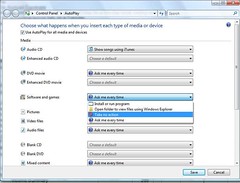
Once you see this window, you should go to the "Software and Games" drop down box and select Take no Action. Click Save.

After that, you can now disable all Internet and local connections to prevent the virus form communicating and plug the drive in with all those blocking virus disablers turned on. The files may be infected, so drag-and-drop with caution to yet another removable media, most preferably another USB drive. Scan the files put in the other drive with all the security programs you have and shut down the computer and throw the infected drive away!

How about my corrupted USB drive?
Now here's a cool utility that can get all those files for you, PC Inspector File Recovery. It can see all the stuff you have deleted on your computer, on your SD card, or of course, your flash drive. It's notorious for being prone to crashes, though. But that's the price you gotta pay for something that actually works (as stated in the User Reviews).

There's always a lesson to be learned from these types of incidents: NEVER GO COPYING FILES WITHOUT MAKING A BACK-UP COPY!

(Thanks to PC World Magazine)

Tech Reviews
Yahoo! Messenger for Vista (Preview)
One of the most highly awaited software for Vista owners is the sleek, new Yahoo! Messenger for Vista. It's only exclusive for that platform only, hence the name, and it offers a few features that have become a bit overdue for some time. But the question is, should you download it now?

Being an apparently rushed, unstable version, it will definitely have a lot of quirks. The interface definitely looks both like a downgrade and an upgrade to the current interface used by Yahoo! Messenger 9 Beta, because for one thing, it is sluggish (though my computer is partly to blame) and it is not what you see in the screenshots, but it also looks kinda good, though you won't get used to it initially. Plus, when you start it up (and hopefully only in the first time), you will be seeing... staring at its new splash screen. Hmm.., it's kind of a wonderful way to waste time, at least.

One big pro is the fact that tabbed browsing is present for organized chatter. But features are still missing though, and the Buzz! button is not visible unless you right-click. You won't get Webcam, Audibles, Photos, IMVironments, Conferencing and a lot more!
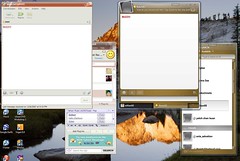
So, should you make the move now? No. But if you want to really test it, you can because the older version you'll have on your computer won't be erased anyway.

Rating: 3/10 (Bad)

Flock
I have told you about this already. It might be a Firefox-based browser, but it's better than Firefox.

Everything is conveniently laid out in its interface, which has a slight learning curve what with all the new buttons and stuff. But once you get immersed in the Flock experience, it's hard to go to another browser.

You can view friend lists, video/photo streams and set a blog account as well as subscribe and read RSS far easier than Firefox. Too bad it doesn't support common social networking sites like Friendster and Multiply, but hey, that doesn't mean you can't try new stuff, right?

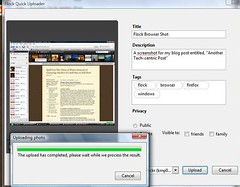
Another thing I like is the ability to make blog posts offline as it saves the time for you to go through the web interface, only finding out that you have lost your motivation. Plus, the photo uploader is fast and easy (that is when you log into one, of course) and built-in the browser as well.

The browsing experience is still the same as Firefox (as well as the timing of new security patches released), but hopefully Flock will grow even further as it is a most promising browser that you won't leave in the dust just like that.


Rating: 8/10 (Excellent)


Long Term Review of Apple MacBook (10 months)
This is the type of review where you can see how long a product can last, and how much lasting satisfaction and usability it can give to a person. This time, we determine if a MacBook can last without the urge of upgrading...
Wow, I can't believe how long my family and I have been together with a blessed Macintosh! We may have occupied more than half of its 80GB capacity, but it's still the lean, mean fun machine we all know and love since day one!

OK, maybe there has been a bit of chipping on the latch (because it is magnetic) because of forceful closing, but aesthetically, it's still eye-catching though it is prone to dirt and... ANTS?!

Moving on from the aesthetic aspects, the hardware has only failed me once when the battery went haywire and the only way you can use the laptop is by plugging it in (it's not so mobile that way now, is it?) but it was quickly resolved (warranty :-D).

As for the performance, it has un-noticeably slowed down a bit, and is a great battery saver at the same time as it can still last for 3 (or more) hours in casual use, and that's under Wi-Fi. It rarely hangs (the first and only time as of now happened just last week) and all the utilities are useful. Plus, in the future, I can still use the same MacBook in a new OS release*.

Still, I just wish I could play games in that thing, but I can't because of Intel's Integrated Graphics Card, which in layman's terms is, stupid piece of crap! I always urge my dad to buy a desktop (the iMac) as it is less expensive and more powerful than a MacBook Pro, but all in all, I still love the MacBook. If you're looking for fast, reliable, secure, mobile and upgradeable, look no further than a MacBook. It even helped me ace a few projects to boot!
 
Elegant de BlogMundi