Showing posts with label download. Show all posts

March 5, 2009

Some Filipino and Asian-centric apps for your iPhone

We now focus our eyes on some low-profile releases by Filipino developers or some Asian-centric apps. Just a teeny collection. Hell, maybe I could get this going on a regular basis?

Supermarket Manila
#1 on the Philippine App Store charts for paid apps, this game has a polish to it. The premise here is that you own a supermarket, and that you have to manage it. I know, it's a bit of a rip-off to games like Diner Dash, but hey! It looks like a decent rip-off with a Filipino flavor, I'm guessing. It costs $1.99.

Philippine Travel Guide
The Philippines has its own wonders and sights. So why not get yourself a mobile travel guide while you get out during summer?
You don't need an Internet connection, either. $0.99 on the App Store.

CX Mobile
Bring a football spin to your average travel guide with Cathay Pacific's CX Mobile.

It gives you everything you'd want to know when traveling to Hong Kong- probably a location you'll be going to when talking about going abroad- and it has Google Maps support. Ooh, it looks like a great companion to the free Lonely Planet Mandarin Phrasebook! It costs zilch.

TVU Player
iPhone gets live TV! And many Philippine channels work best. You can't watch on landscape though.
The thing is that you can only run this under Wi-Fi, but with my tests, I never got anything to really run. Just a loading screen. Still, several reviews state that it works, and many of the working channels are Asian. For me, at least.

Classical Philippines Radio
This free app gives you all the folk songs you want. Although they're not my cup of tea, I know that some people will want this.

Wonder how old and classic this throwback iPhone radio station gets? Does it still have Pilita Corrales in there somewhere? Or is it purely songs of the Paruparong Bukid variety?

Filipino Phrases: How to Argue, Use Slang, and More!
It's an almost 1200 word list of Filipino phrases fit for daily use.
Unfortunately, the page says, the "argument" part only reaches to "bwisit". Will it cause an uproar if they included other... "phrases"? Maybe in a tiny scale, but otherwise, no. This app is more aimed to people who want to LEARN the language. It costs $3.99.

DianHua
Ever encountered a Chinese word that you found foreign and that you want to get a translation without having to resort to the Internet nor a bulky dictionary? Well, look no further than the free DianHua Chinese-English, English-Chinese dictionary! It has saved my ass a couple times.

Wan Nian Li Chinese Calendar
Want to specifically know when the Mooncake Festival comes? Well, a Lunar calendar does that job for you. There are many, I know, but I randomly picked this one. :p

That's about it, I guess. Tune in next time, if there is a next time.

October 8, 2008

DOWNLOAD-ME-NOW!: Launchy (Windows)

You do already know that Windows just has a lot of downloads available on the net. Still, it's either most of the free ones don't have any use at all, or that most of the things you want aren't free to download. Well, here's one download that's both free and extremely productive.

Meet Launchy. Sure the idea is to just let you launch a program/item you want without using your mouse, but when you actually use it, you're not gonna stop.

You can assign a "hotkey" or keyboard shortcut of your own to get this little window to pop up. Once you do get it to pop up, you can type the program you want to run and press enter. Heck, maybe even just a part of the program's name is enough to let Launchy know that "this is the program you want to run". It's really easy to get into it, because you'll realize that you probably wouldn't ever need the Start Menu, Windows Explorer, or the Bookmarks menu of your browser even!

CAPTION: I only need to type "sa" then press Enter to launch Safari.

That's because you can set the stuff you want Launchy to find. So if you are looking for a specific document you want to edit, you can set Launchy to look for a certain file type by typing the file extension to the left side of the Options window, then setting Launchy to look in a specific folder (the location of the document). Of course, this is more advanced territory, but configuring is easy enough even for relatively casual users.

CAPTION: You can edit tons of settings in this really light freebie.

What's great about this program, though, is that it's highly skinnable. Meaning that you can set Launchy to fit your personal style. Of course, you can just google "Launchy skins" and you'll be downloading many of them in no time. Just drag and drop the theme's folder into the installation directory (typically, C:/Program Files/Launchy/Skins) and voila, you can set Launchy to the skin you downloaded!

CAPTION: Not a real PSP. Just Launchy.

Launchy, despite the deceitfully simple idea, succeeds in the endeavor. You can search your favorite programs, music, documents, etc. on the fly without having to wait very long, and you can make it fit your personal taste. Soon you may find yourself asking "How did I ever live without this?!" and you will have to scrap the Start menu and Windows Explorer.

Rating: 10 out of 10!

September 21, 2008

Stuff I Missed in my iPhone 3G Review

I forgot to mention the iPhone 3G's Bluetooth features, which are extremely limited. How, you say? Well, typically you are able to transfer files from cellphone to cellphone via Bluetooth. Here? Definitely not. The only use for Bluetooth is for the hands-free Bluetooth headsets. Yes, it can still pair with another phone/computer with Bluetooth, but what can you do while a mobile phone or computer is paired? Nothing except being able to unpair. It can't at least be the receiving end of the file you want to send, so, yes, if I want to send my dad's iPhone some kind of music file, it's a lost cause.

However, I've updated the firmware of my dad's iPhone 3G (to the latest 2.1), and you know what? Many performance and call quirks we experienced are virtually non-existent now. Back-up times in iTunes are dramatically speedier, and so is application installation. Now we don't have to wait 20 minutes for back-up to finish!

Plus, the iPhone is responsive after hanging up from a call. The screen is actually supposed to detect your face so it will black out when calling. You know, avoid accidental button pushing via your cheeks, and it now works excellently. When your face gets out of the screen after calling (or when you want to hang up), everything will appear as it should. It's actually a nice touch now that I know why the screen wouldn't show up unless it wanted to before updating.

Speaking of calling, the signal we get around here has significantly improved. Back then, 3G was next to impossible to get. Now, reception is very strong.

Apps are generally more stable, and so is Safari. The screen, while already snappy and responsive, is impossibly even more zippy! 2.1 is the update to get, even though yes, there's still no video recording, no copy and paste, no MMS and no SMS forwarding, but if you already love your iPhone 3G or iPod touch even before this update, you'll love it even more after updating.

Now if only it wasn't such a beast. (230+ MB download?!)

My rating for the iPhone 3G still won't change, so I stand by my 7.5 rating. I actually wanted to decrease the score by 0.5 because of the limited Bluetooth functionality, but the update straightened other things out, so you can say that they, like protons and neutrons, cancel each other.

September 17, 2008

iTunes 8: Is it really Genius?

Way back even before the September special event held by Apple to announce iTunes 8 and the new iPods, several rumors and leaks have already popped up about a sort of "Genius" feature included in the iTunes 8 upgrade. Like the popular websites Pandora and Last.fm, the feature tries to create a playlist that it thinks sound great together with this one song you yourself pick. Does it work? What about the other features in iTunes 8? Well let's see then...

Genius
This is the most advertised feature but does it work?

Well, it actually depends on how many songs (or rather, song genres) you actually have in your library.

But it's not exactly activated at first launch, though. First, you'll have to send your entire library to Apple, so they can process it and determine which songs sound great with each other. Of course, you don't need to fill in some private information, but if hackers found a way to access your computer via this feature, (because Apple sends information back to you) I'll be damned.
Anyway, once you activate Genius, you can plug in any upgraded iPhone 3G, upgraded first generation iPod touch, 2nd generation iPod touch, 4th generation Nano and 6th generation Classic to activate the feature in those machines. Besides that, you can now use that new atom button thingy below.


You first play a song- any song- and click that button so you can let iTunes generate a "Genius playlist". I based my first ever Genius playlist on Jason Mraz's "I'm Yours", and the results are snappy but some of the choices made are pretty questionable.
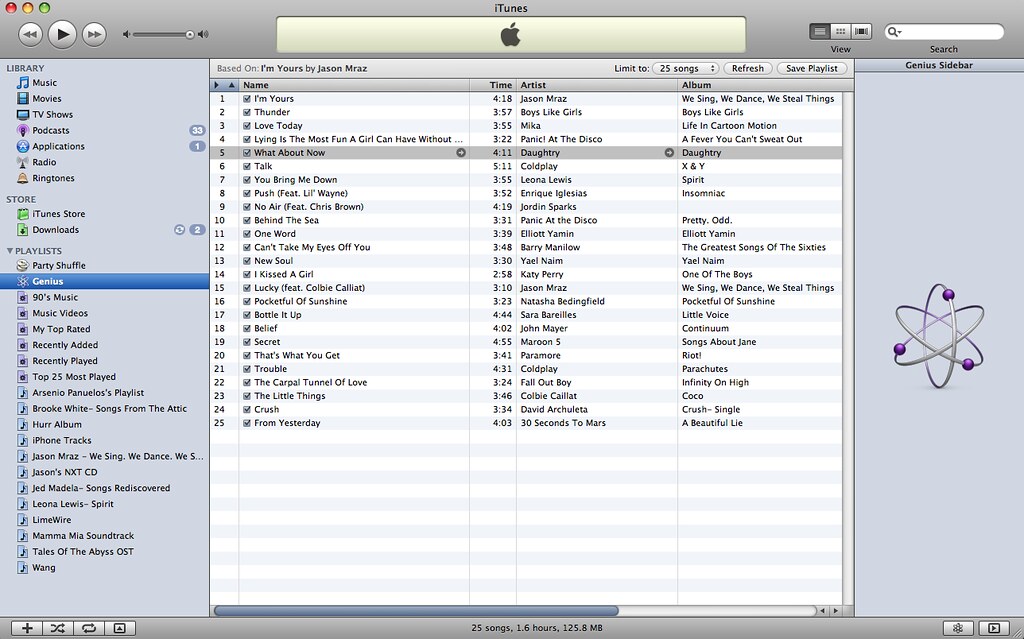
Panic! At The Disco? Daughtry? Fall Out Boy? Wait, I never knew they'd potentially sound good alongside something like "I'm Yours"!

Still, I have to give effort points to the system, and really, I don't blame it for the choices since I'm more of a rock/alt fan than pop. Still, if you're unsatisfied with the results, you can always Refresh it. And when iTunes gives you that perfect combination, you can Save that playlist (although you can still Refresh it anyway) and sync it to your iPod.

So I tried putting more varieties of songs into the library, then updating Genius, and what do you know? It became smarter. The questionable choices were less, and the playlist was a lot better.
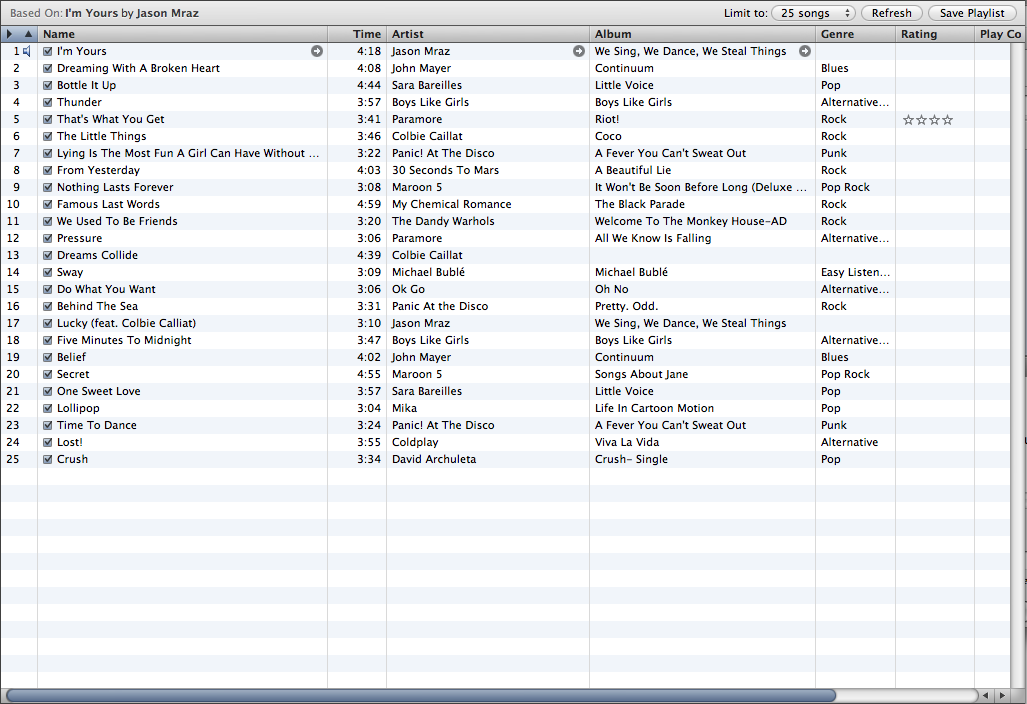
If you hate Genius though, I won't blame you. It's very much new, so if you give it enough time, and if a lot more people use it, the system will become smarter. It's still off to a great start regardless.

New Browsing mode
Back then, it was just that "spreadsheet" style of music browsing. It was pretty boring, even with Cover Flow. Now, Apple gives the browsing style an overhaul. The spreadsheet style is still there for those who opt for it, but for those who want a new way to browse their music, they can use the revamped Grid view.
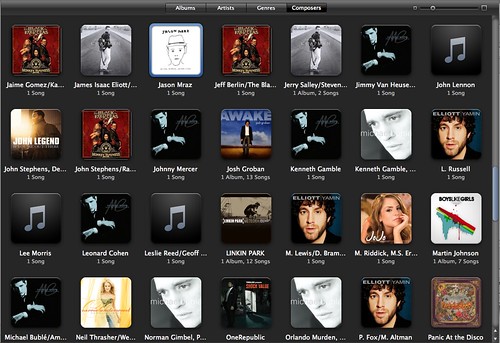
If you're a Mac user, you'll notice that the design is reminiscent to that of iPhoto. And if an artist has, say, 2 or 3 albums, you can look at them by pulling the mouse cursor up or down, left or right. To play the whole album or artist, you can just click the "Play Album" button that appears when you hover your mouse over it. You can resize the size of each album cover (and the captions underneath them) if you're blind, and you can sort them by Artist, Genres, Composers and Albums.
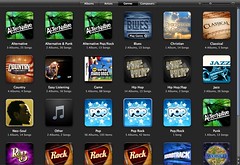
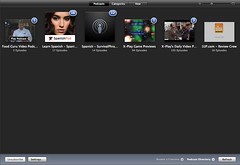
(AT TOP: You can view albums by Genre or; BELOW: ...get this view in the Podcasts, TV Shows and Movies menus. Noticeable in the Podcast menu are blue numbered circles marking the number of unwatched/unheard podcasts.)

New Visualizer
I don't know if you still use a visualizer in this day and age (I sure don't), except for Windows Media Player fans (they have no choice), but if you like them, you will like the new Visualizer Apple put in the new version. It's actually very pretty if you ask me.

But as I said: I don't think anyone would be using this very often. Especially since it's a...

Memory Hog
iTunes has a reputation of being a big memory hog. Unless you're running a Mac, not all processes run silky smooth in iTunes 8. It's slow, it's unresponsive, and damn, it just brings CPU usage up the roof. Heck, it causes the Blue Screen of Death in Vista! That can't be good. Of course, Apple has re-uploaded a fixed version of the Windows iTunes, but this just makes me ask whether Apple even tests its software before releasing it to the public? Surely, you should like any normal company? Or maybe your Windows developers just got lazy or something?

A hassle to download
It's like really HUGE! It's ginormous! It's a music and video player for God's sakes! Even VLC is only like 4-5MB's or something! I'd accept 20MB, but 60MB is like... a real hassle to download even on a broadband network. Apple needs to reduce the file size for this thing, damn it.

Overall
Genius needs a bit of time to mature, but it's off to a good start. The new view is welcome, and the visualizer is really beautiful, but kind of pointless. I'm not sure why Apple still hasn't fixed the memory leaks and all, and they sure haven't reduced the file size of this beast, but other than that, this upgrade is pretty nice- especially if you want to buy a new iPod (or upgrade your iPod touch or iPhones), but for other people who still don't plan to buy a new iPod or upgrade their existing iPod touch or iPhones can stick to iTunes 7 if they so choose to. Genius isn't really that much of a reason to download in the first place, but it's still a really fun feature to toy with.

Of course, you have the standard music and (limited) video playing options, and they work as they should. Aforementioned hogging may cause a broken listening and viewing experience at times, though.

Rating: 7.5/10
 
Elegant de BlogMundi